
How to Share Your Airbnb & VRBO Calendar with Your Cleaner
Three ways to share your Airbnb & VRBO calendar with your cleaner, from manual iCal export to a subscribable clean windows calendar combining both platforms.
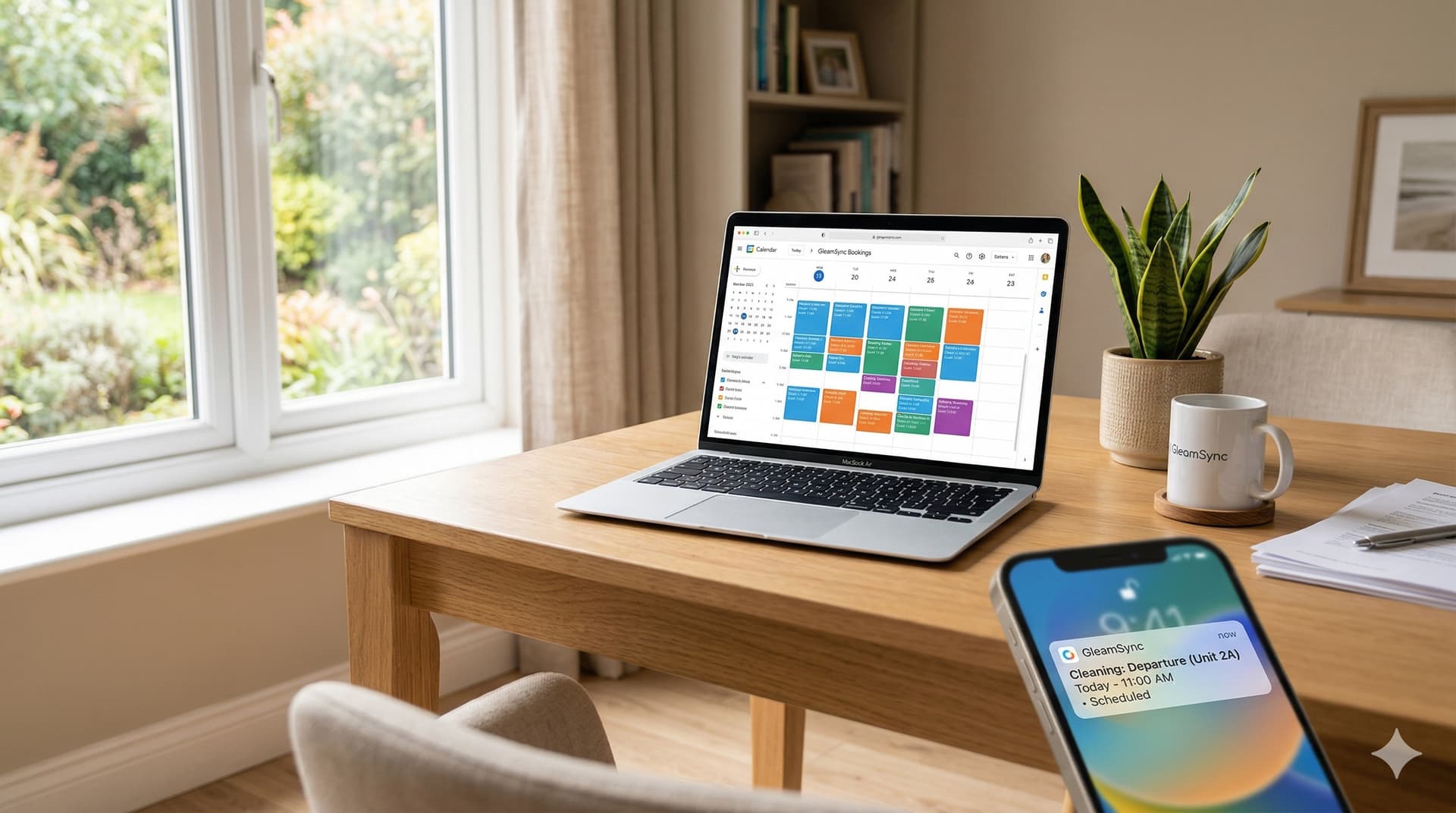
Getting a new booking is the fun part of hosting. Figuring out how to make sure your cleaner knows about it, and shows up at the right time, is where things get complicated fast.
Most hosts start by texting their cleaner every time a booking comes in. That works fine when you have two or three reservations a month. But as your calendar fills up, or you add a second listing, or your cleaner stops responding to 7am messages, the manual approach breaks down.
The real question isn't if you should be sharing your Airbnb calendar with your cleaner. It's how to do it in a way that actually works, so nothing falls through the cracks between a guest checking out and the next one checking in.
If you're hosting on Airbnb, VRBO, or both, here are the three main ways to share your calendar with your cleaner, what each method actually involves, and where each one falls short.
What Does "Sharing Your Calendar" Actually Mean for a Cleaner?
Before walking through the methods, it's worth clarifying what your cleaner actually needs from your calendar.
They don't need to see booking details, guest names, or reservation codes. What they need is simple: when does a guest check out, when does the next one check in, and how much time is there in between to clean?
That window, between checkout and the next check-in, is what matters. It's what cleaners use to plan their day, schedule other clients, and confirm if a job is doable in time. (For a deeper look at how to identify and protect those windows, see our guide on turnover clean windows.)
Your Airbnb and VRBO calendars show bookings. They don't automatically compute clean windows. That gap is where most calendar-sharing setups fall apart, and it's why a technical "yes I shared the calendar" doesn't always translate into a cleaner who shows up on time with the right expectations.
Keep that in mind as you read through the three methods below.
Method 1: Export Your iCal Link and Share It Directly
Every Airbnb and VRBO listing has a built-in iCal export link, a URL that produces a live calendar feed in the standard .ics format. You can copy that link and send it to your cleaner, who can add it to Google Calendar, Apple Calendar, or any calendar app that accepts iCal subscriptions.
This is the most direct method, and it costs nothing.
How to Export Your Airbnb iCal Link
According to the Airbnb Help Center, here are the exact steps:
- Log into your Airbnb host account and click Calendar in the top navigation.
- If you have multiple listings, select the one you want.
- Click Availability in the right panel.
- Scroll down to Connect calendars and click Connect to another website.
- Under the "Export calendar" section, click Copy link to grab your iCal URL.
That link is a live feed. Any calendar app that imports it will see your bookings automatically, no manual updates needed on your end.
One important limitation: Airbnb's iCal feed only shows blocked dates labeled "Reserved." It does not include guest names, check-in times, or check-out times. Your cleaner will see that certain dates are occupied, but they won't see the specific time they need to show up. Airbnb refreshes its own calendar every 3 hours, but that controls how quickly Airbnb pulls in other calendars, not how quickly third-party apps pull your Airbnb feed.
How to Export Your VRBO iCal Link
VRBO's export process is nearly identical:
On desktop:
- Log into your VRBO Owner Dashboard.
- Select the listing you want.
- Click Calendar in the left menu.
- In Settings, go to the Availability tab.
- Under Calendar sync, click Connect calendars.
- Click Export calendar, then Copy URL.
On the VRBO mobile app:
- Tap Calendar, then tap the ⚙ Settings icon.
- Go to the Availability tab.
- Under Calendar sync, tap Connect calendars.
- Tap Copy link under Step 1: Export your Vrbo calendar.
VRBO also gives you an option to include tentative bookings in your export. For cleaner scheduling purposes, it's generally best to leave this off, you only want confirmed reservations driving your cleaner's schedule.
VRBO sync frequency note: According to VRBO's import documentation, calendars synced via iCal update approximately every 30 minutes, though you can trigger a manual refresh anytime.
Why Direct iCal Sharing Falls Short
Sending your cleaner a raw iCal link works, technically. But here's what they actually see when they subscribe to it:
- A block of time marked "Reserved"
- Start and end dates of the booking
- A link back to the Airbnb reservation page
They don't see your check-in or check-out times. They can't tell from the calendar if they have a 2-hour gap or an 8-hour window to clean. And if you list on both Airbnb and VRBO, you're sending two separate links: which your cleaner has to check, reconcile, and interpret manually.
This method works if you have one property with simple, predictable turnover windows and a cleaner who's comfortable reading calendar feeds. For anyone else, it creates more work than it saves.
Method 2: Share via Google Calendar
A more readable approach is to import your Airbnb (and VRBO) iCal links into a dedicated Google Calendar, then share that calendar directly with your cleaner. This gives them a clean visual view: color-coded, labeled, and accessible from any device.
How to Add Your Airbnb iCal to Google Calendar
- Open Google Calendar in a browser.
- In the left sidebar, click the + icon next to Other calendars.
- Select From URL.
- Paste your Airbnb iCal link (or your VRBO iCal link) into the URL field.
- Click Add calendar.
- Repeat with your VRBO iCal link if you're listing on both platforms.
Your bookings will now appear in Google Calendar. You can color-code each platform's bookings differently: for example, Airbnb in red and VRBO in blue, so your cleaner can tell at a glance where each booking is coming from.
How to Share the Google Calendar with Your Cleaner
- In Google Calendar, hover over the calendar name in the left sidebar.
- Click the three-dot menu and select Settings and sharing.
- Under Share with specific people, click + Add people.
- Enter your cleaner's email address and set permissions to See all event details.
- Click Send.
Your cleaner receives an email invitation, accepts it, and the calendar shows up in their Google Calendar automatically.
The Big Problem with This Method
The Google Calendar approach is more user-friendly than raw iCal links, but it inherits a critical technical limitation.
When Google Calendar subscribes to an external iCal feed (like your Airbnb or VRBO link), it polls that feed periodically to check for updates. There is no guaranteed refresh schedule. According to Google's support community and multiple calendar sync specialists, Google can take anywhere from a few hours to a full 24 hours to reflect changes in a subscribed iCal feed.
In practice, that means:
- A same-day booking on Airbnb might not appear in your shared Google Calendar until the next morning.
- A cancellation might still show as a blocked date when your cleaner checks, leading them to skip a turnover they should have completed.
- Late check-ins and last-minute booking changes, exactly the situations where communication matters most, are the ones most likely to be delayed.
Beyond the lag, the underlying information problem remains: the calendar still shows booking dates, not clean windows. Your cleaner sees "Reserved: March 15–17". but they still need to know that checkout is at 11am and the next guest arrives at 3pm, leaving a 4-hour window. That context doesn't come through in the calendar feed.
For occasional last-minute bookings or hosts with simple, consistent schedules, this might be acceptable. But for any host managing multiple properties, dual listings on Airbnb and VRBO, or back-to-back turnovers with tight windows, a calendar sync lag of even a few hours creates real operational risk.
Airbnb and VRBO Calendar Sync: How to Combine Both in One Place
If you list on both Airbnb and VRBO. which most multi-platform hosts do, you're dealing with two separate calendar feeds that need to reach your cleaner as a single, coherent schedule.
This is a problem that trips up a lot of hosts. Most Google Calendar setups handle it adequately for your own viewing purposes: you add both iCal feeds, color-code them, and see a combined view. But when you share that calendar with your cleaner, they're looking at a patchwork of booking blocks with no single source of truth.
The more common failure mode is this: a booking comes in on VRBO while your cleaner has already looked at the shared calendar and planned their week. They don't know to go back and check. They miss the turnover. You find out when the next guests arrive.
The coordination problem isn't really about sharing calendars, it's about making sure your cleaner always has the right information before they need it, not whenever they happen to check.
Method 3: Use GleamSync. Calendar Feed + Automatic Notifications
This is where I'll be direct: this is exactly the problem GleamSync was built to solve. And it doesn't just solve it one way, it gives you two.
A Clean Windows Calendar Your Cleaner Can Subscribe To
Here's what no other method gives you: a dedicated iCal feed that shows your cleaner only the clean windows they need to work, not raw booking dates.
GleamSync reads your Airbnb and VRBO iCal feeds, merges them, and generates a brand-new calendar feed that contains only the turnover clean windows. Each event in that feed shows the checkout time, the next check-in time, and the available cleaning window in between. Your cleaner subscribes to this feed in Google Calendar, Apple Calendar, Outlook: any app that accepts iCal, and they see a calendar that's designed for them, not for your booking platform.
This is fundamentally different from sharing a raw Airbnb or VRBO calendar. Instead of your cleaner looking at a block that says "Reserved: March 15–18" and trying to figure out when to show up, they see an event that says "Clean: March 18, 11:00 AM. 3:00 PM." That's the actual information they need.
And because GleamSync combines both platforms into a single feed, your cleaner subscribes to one calendar link, not one for Airbnb and a separate one for VRBO. Every booking from every platform appears as a clean window in one unified schedule.
As the owner, you can also download this clean windows calendar from your GleamSync dashboard and share the link manually, useful if your cleaner prefers to receive a link rather than set up their own subscription.
Automatic Notifications on Top of the Calendar
The calendar feed solves the "what does my schedule look like?" question. But some cleaners don't check calendars proactively, they wait to be told. GleamSync handles that too.
When a new booking appears on either Airbnb or VRBO, GleamSync automatically sends your cleaner a notification: via email, SMS, and WhatsApp: with the specific turnover details: the date, checkout time, check-in time, and how much time they have. If a booking changes or gets cancelled, your cleaner hears about that too. No manual texting required.
So your cleaner gets both: a subscribable calendar they can check anytime, and proactive push notifications for every new or changed turnover. Belt and suspenders.
If your cleaner creates their own GleamSync account (free for cleaners), they get the full experience: their own dashboard with the clean windows calendar feed, notification preferences, and a view of all the properties they clean for. But they don't have to. The notifications work if they sign up or not.
How GleamSync Handles Airbnb and VRBO Together
Most hosting tools are built primarily for Airbnb. GleamSync works natively with both Airbnb and VRBO from day one: because your cleaner doesn't care which platform the booking came from, and neither should your coordination system.
Here's how it works:
- You connect your Airbnb iCal link to GleamSync (same link you'd export manually).
- You connect your VRBO iCal link to GleamSync.
- GleamSync reads both feeds, merges them, and computes clean windows for every turnover across both platforms.
- A unified clean windows calendar feed is generated, one iCal link your cleaner can subscribe to.
- When a new booking appears on either platform, GleamSync also sends your cleaner a notification with the turnover details.
One link. One schedule. Both platforms. Your cleaner never has to cross-reference two calendars or interpret raw booking data again.
The Practical Difference
Here's what the three methods look like in practice for a host with both an Airbnb and a VRBO listing:
| Situation | Manual iCal | Google Calendar | GleamSync |
|---|---|---|---|
| What your cleaner sees | Raw booking blocks ("Reserved") | Raw booking blocks (color-coded) | Actual clean windows with checkout/check-in times |
| Airbnb + VRBO combined? | No: two separate feeds | Visually combined, still two feeds | One unified clean windows calendar |
| New booking at 9pm | Cleaner finds out when they check | Cleaner finds out when Google refreshes (up to 24hrs) | Cleaner gets a notification within minutes + calendar updates |
| Back-to-back with 3-hour window | Cleaner has to calculate window from dates | Cleaner has to calculate window from dates | GleamSync shows the exact 3-hour clean window |
| Booking cancellation on VRBO | Cleaner doesn't know unless you tell them | Cleaner sees it after Google refreshes | Cleaner gets notified + calendar updates automatically |
| You're traveling and can't text | Cleaner is in the dark | Cleaner checks shared calendar manually | Cleaner gets all updates automatically, calendar + notifications |
| Cleaner prefers calendar subscription | Gets booking dates, not clean windows | Gets booking dates, not clean windows | Gets a purpose-built clean windows calendar |
| Cleaner prefers text/email alerts | Nothing, you have to text manually | Nothing: you have to text manually | Automatic email, SMS, and WhatsApp notifications |
GleamSync costs $8/month per property. For comparison, a single missed turnover, according to ResortCleaning's 2025 Housekeeping Efficiency Report. can cost up to $3,500 in lost bookings, emergency cleaning fees, and guest refunds.
What About Sharing a Calendar with a Cleaner Who Isn't Tech-Savvy?
This comes up constantly. Not every cleaner is going to subscribe to an iCal feed or accept a Google Calendar invite.
If your cleaner prefers texts and phone calls, the iCal and Google Calendar methods require you (the host) to be the bridge: you see the calendar, they don't. You're back to manually texting every booking.
GleamSync gives you options for both types of cleaners:
- Tech-comfortable cleaners can subscribe to the clean windows calendar feed and see their schedule in their own calendar app: updated automatically, combining both Airbnb and VRBO. If they sign up for a free GleamSync cleaner account, they also get their own dashboard.
- Cleaners who prefer texts and calls just receive automatic email, SMS, and WhatsApp notifications for every turnover. No app to download, no account to create, no calendar to manage. They get a message with the date, property, checkout time, and check-in time. Done.
Either way, you stop being the manual relay between your booking platforms and your cleaner's phone.
Frequently Asked Questions
Can I share my Airbnb calendar directly with my cleaner without a third-party tool?
Yes. Airbnb provides an iCal export link under Calendar > Availability > Connect to another website. You can copy that link and send it to your cleaner, who can subscribe to it in Google Calendar, Apple Calendar, or any iCal-compatible app. The limitation is that the calendar only shows blocked booking dates, not check-out times, clean windows, or actionable scheduling information. Your cleaner sees when dates are reserved, but not the actual window they need to clean.
How do I get the iCal link from my Airbnb listing?
In your Airbnb host account, go to Calendar, select your listing, click Availability, scroll to Connect calendars, and click Connect to another website. Your iCal export link appears in the dialog box. Copy it and use it with any iCal-compatible calendar app.
How do I export my VRBO calendar as an iCal link?
Log into your VRBO Owner Dashboard, select your listing, click Calendar, go to Settings > Availability, then Calendar sync > Connect calendars > Export calendar > Copy URL. This produces a live iCal feed for your VRBO listing.
How often does the Airbnb iCal update?
According to Airbnb's Help Center, Airbnb refreshes its connected calendars every 3 hours. However, that refers to how quickly Airbnb pulls in external calendars, not how quickly third-party apps (like Google Calendar) pull your Airbnb feed. Google Calendar's refresh of subscribed iCal feeds can take anywhere from a few hours to 24 hours.
Can I sync my VRBO and Airbnb calendars in one place for my cleaner?
Yes, but not natively through either platform. Both Airbnb and VRBO have iCal export links, and you can import both into Google Calendar to get a combined view. The limitation is that your cleaner still sees raw booking blocks, not clean windows, and the feeds are subject to Google's refresh delays. GleamSync combines both iCal feeds automatically and generates a single clean windows calendar feed your cleaner can subscribe to: showing only the actual turnover windows, not booking dates.
Does GleamSync work with VRBO as well as Airbnb?
Yes. GleamSync reads iCal feeds from both Airbnb and VRBO (and any other platform that provides a standard iCal export link). You connect each listing's iCal URL during setup, and GleamSync merges them into one unified clean windows calendar feed plus automatic notifications. Your cleaner subscribes to one calendar link and gets one set of notifications, regardless of which platform the booking came from.
What's the difference between the GleamSync calendar feed and an Airbnb iCal feed?
An Airbnb iCal feed shows your cleaner blocked dates labeled "Reserved". they have to interpret booking dates and figure out when to clean. GleamSync's clean windows calendar feed shows only the turnover events: with checkout time, check-in time, and the available cleaning window. It also combines Airbnb and VRBO bookings into a single feed, so your cleaner subscribes to one calendar instead of two.
What information does the Airbnb iCal feed actually include?
Since Airbnb's 2019 privacy update, the iCal feed shows the date range blocked as "Reserved," a link to the reservation, and the last 4 digits of the guest's phone number. Guest names and reservation codes are no longer included. This means your cleaner can see when dates are blocked, but not any scheduling-specific details like check-out times or turnover windows.
Why would Google Calendar not update my Airbnb bookings right away?
Google Calendar polls subscribed iCal feeds on its own schedule, which is not publicly documented. According to multiple user reports on Google's support forums and calendar sync services, the delay can range from a few hours to a full day. There is no built-in way to force a real-time refresh of a subscribed iCal feed in Google Calendar.
The Bottom Line on Sharing Your Calendar with Your Cleaner
Manual iCal export and Google Calendar sharing both work, technically. They're free, they're easy to set up, and for hosts with simple, infrequent turnover schedules, they're probably good enough.
But if you're managing back-to-back turnovers, listing on both Airbnb and VRBO, or working with a cleaner who relies on timely information to plan their day, the manual methods create real gaps. The booking information is delayed, the clean window isn't computed, and you end up being the manual relay between your platforms and your cleaner.
GleamSync replaces all of that with two things your cleaner actually wants: a subscribable calendar that shows only their clean windows (combining both platforms), and automatic notifications for every new or changed turnover. Your cleaner gets the schedule they need in a format that works for them. You never have to send another text.
If you want to see how this works in practice, GleamSync connects your Airbnb and VRBO calendars and gives your cleaner both a clean windows calendar feed and automated notifications, at $8/month per property.
You can also read about how turnover clean windows work and why I built GleamSync. the story behind the tool.
Skip the manual calendar sharing. GleamSync gives your cleaner a subscribable clean windows calendar and automatic notifications, combining Airbnb and VRBO in one schedule.
Share this article

Mark Fromson
Founder of GleamSync and vacation rental owner. Learn more
Related Articles
How to Become an Airbnb Superhost: The Operational Playbook
A practical guide to earning and keeping Airbnb Superhost status. Covers all four requirements and the operational systems that keep you qualified.
Airbnb Guest Message Templates for Every Stage of the Stay
Copy and paste Airbnb guest message templates for every stage of the booking, from confirmation and pre-arrival to checkout reminders and review requests.
The Complete Vacation Rental Inventory Checklist
A room-by-room vacation rental inventory checklist for Airbnb and VRBO hosts. Track kitchen items, linens, electronics, and supplies on every turnover.
Simplify Your Cleaning Coordination
Sync Airbnb, VRBO, Booking.com or any calendar with a link, notify your cleaners automatically, and never miss a turnover.
Start Free Trial