
Airbnb Listing Optimization: Rank Higher, Get More Bookings
Practical tips to optimize your Airbnb listing for more bookings. Covers titles, photos, descriptions, amenities, pricing, and Airbnb ranking factors.
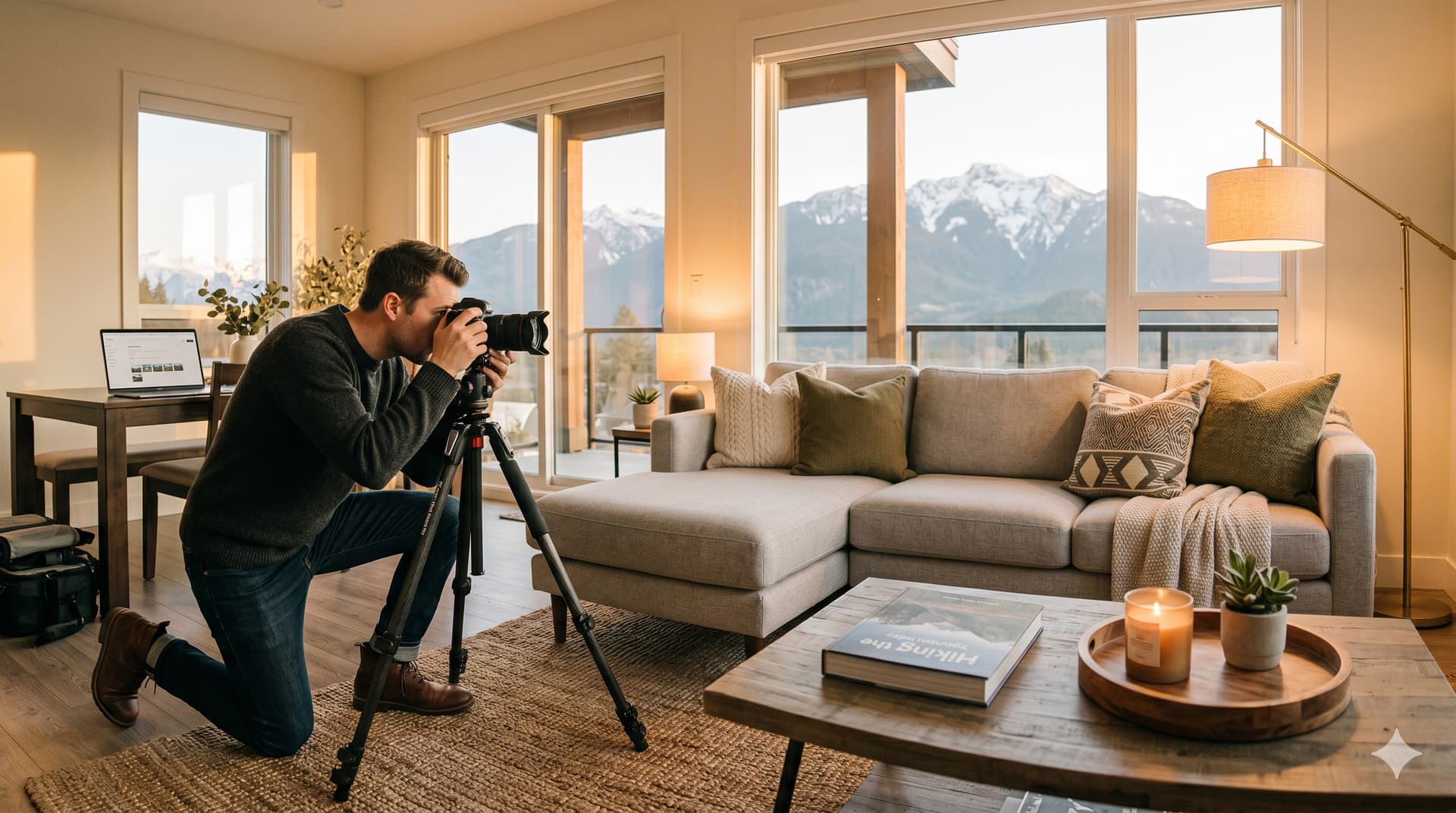
Airbnb listing optimization is the process of improving your listing's title, photos, description, amenity selection, pricing, and settings to increase your search visibility and booking conversion rate. The goal is simple: more guests see your listing, more of them click on it, and more of those clicks turn into confirmed bookings.
This is not about tricks or gaming the algorithm. Airbnb's search algorithm rewards the same things guests want: accurate descriptions, great photos, competitive pricing, fast responses, and consistently high reviews. When you optimize your listing, you are simultaneously making it better for guests and more visible in search.
This guide covers the specific changes you can make today, organized by impact level. Start with the highest-impact items and work your way down.
How Do You Optimize Your Airbnb Title?
Your title appears in search results alongside your cover photo and price. It has approximately 50 characters before it gets truncated on mobile, which means every word needs to earn its place.
What works in titles
Lead with your strongest differentiator. What makes your property worth clicking on instead of the 20 others on the same results page?
Strong titles:
- "Oceanfront Cabin | Hot Tub | Steps to Beach"
- "Downtown Loft | Walk to Everything | Rooftop View"
- "Lakeside A-Frame | Fireplace | Kayaks Included"
- "Mountain Retreat | Private Trail Access | Sleeps 8"
Weak titles:
- "Beautiful Cozy Home in Great Location" (every listing claims this)
- "Amazing Place You Will Love!!" (tells the guest nothing specific)
- "3BR/2BA House Near Downtown" (reads like a real estate listing, not a vacation experience)
Title formula
[Location/Setting] + [Best Feature] + [Second Best Feature]
Keep it under 50 characters. Use pipes (|) or dashes to separate elements. Do not use emojis, excessive punctuation, or ALL CAPS.
How Do You Optimize Your Airbnb Photos?
Your photos are the most important element on your listing. They determine whether a guest clicks from search results and whether they book after clicking. Investing in professional photography has a measurable ROI.
Cover photo rules
Your cover photo has one job: stop the scroll. It should:
- Show the most impressive feature of your property (the view, the pool, the living room with the fireplace)
- Use natural light (morning or late afternoon golden hour)
- Face outward if possible (toward a window, a view, or an outdoor space) rather than looking at four walls
- Be in landscape orientation (horizontal, not vertical)
- Be high resolution and properly exposed (no dark, grainy, or blurry images)
Photo sequence strategy
After your cover photo, arrange the remaining photos in this order:
- Cover photo: Best overall shot
- Living area: Full room with natural light
- Kitchen: Clean, well-stocked, inviting
- Primary bedroom: Made bed, crisp linens, nightstands
- Bathroom: Clean fixtures, stocked toiletries
- Outdoor space: Patio, deck, yard, view
- Additional bedrooms
- Special amenities: Hot tub, pool, game room, workspace
- Neighborhood / exterior: What the property looks like from outside, nearby attractions
Photo count
Aim for 20 to 30 photos. Enough to show every room and feature, but not so many that guests stop scrolling. Every photo should serve a purpose. Remove duplicates, blurry shots, and photos of uninteresting angles (the inside of a closet, a blank wall, the water heater).
Professional vs. phone photos
Professional photography typically costs $150 to $400 and pays for itself within the first few bookings through increased conversion. If you cannot hire a professional, use your phone with these settings: turn on grid lines, use landscape orientation, shoot during daylight with windows open (no flash), and clean up the room before shooting.
How Do You Optimize Your Airbnb Description?
Your description is read by guests who have already clicked on your listing. They are interested. Your job is to confirm their interest and address potential concerns.
Description structure
Paragraph 1: The hook (2-3 sentences). What is the experience of staying here? Not the specs. "Wake up to lake views from the primary bedroom, walk 200 feet to the dock, and spend your evenings around the fire pit." That is an experience. "3BR/2BA lakeside home built in 2019" is a spec sheet.
Paragraph 2: The space (3-4 sentences). What does the property include? Cover the layout, sleeping arrangements, kitchen setup, and any standout amenities.
Paragraph 3: The location (2-3 sentences). What is nearby? How far to town, restaurants, activities, the beach, the mountain? Include drive times, not just distances.
Paragraph 4: Guest experience details. Check-in process (self check-in with smart lock, Wi-Fi speed, workspace availability, pet policy, parking details.
Paragraph 5: The host. A brief, warm sentence about who you are and how responsive you are. "I am a local host and respond to messages within an hour. Your comfort is my priority."
What to avoid in descriptions
- Walls of text with no paragraph breaks
- Marketing buzzwords without substance ("luxury," "paradise," "oasis," "gem")
- Negative framing ("The road noise is not that bad" tells the guest there is road noise)
- Outdated information (seasonal restaurant hours that have changed, closed attractions)
How Do You Optimize Amenities and Settings?
Amenity selection
Go through Airbnb's complete amenity list and select every single amenity your property genuinely offers. Guests filter by amenities, and each unselected amenity is a search filter that hides your listing.
The amenities guests filter for most:
- Wi-Fi
- Kitchen
- Free parking
- Air conditioning
- Washer/dryer
- Pool or hot tub
- Pet-friendly
- Self check-in
- Workspace (dedicated desk or table)
- TV
For a complete list of what guests expect, see our Airbnb essentials guide.
Instant Book
Enable Instant Book with screening filters (verified ID, positive reviews). Airbnb gives Instant Book listings a visibility boost in search, and most guests prefer instant confirmation over waiting for manual approval.
Pricing strategy
Airbnb's algorithm favors listings that convert views into bookings. Overpriced listings get views but not bookings, which signals to the algorithm that the listing is not competitive. Underpriced listings book quickly but leave money on the table.
Consider a dynamic pricing tool like PriceLabs ($20/month per listing) that adjusts your rates automatically based on local demand, events, day of week, and lead time. For more on building your pricing into a full automation stack, see our Airbnb automation guide.
Calendar management
Keep your calendar up to date. Stale availability (dates that are open but have not been reviewed in weeks) signals to Airbnb that you may not be actively hosting. Review and update your calendar at least weekly. Block dates you genuinely cannot host, and remove blocks when they are no longer needed.
For multi-platform hosts, syncing your Airbnb and VRBO calendars prevents double bookings. See our calendar sync guide.
What Ranking Factors Does Airbnb's Algorithm Use?
Airbnb does not publish its exact algorithm, but the factors it rewards are well understood from Airbnb's own hosting resources and hosting community analysis.
| Factor | What It Measures | How to Optimize |
|---|---|---|
| Booking conversion rate | Percentage of listing views that become bookings | Better photos, competitive pricing, accurate description |
| Response rate and time | How quickly you respond to guest inquiries | Automated messages, Instant Book |
| Review quality | Average rating and recent review sentiment | Consistent cleaning, clear communication, accurate listing |
| Cancellation rate | How often you cancel confirmed reservations | Calendar sync, backup maintenance plans |
| Instant Book | Whether guests can book without manual approval | Enable with screening filters |
| Calendar freshness | How recently you updated your calendar and listing | Review calendar weekly, update listing seasonally |
| Amenity completeness | How many amenity tags you have selected | Select every amenity you genuinely offer |
| Wishlist saves | How often guests save your listing | Great cover photo + competitive pricing generates saves |
The meta-principle: Airbnb wants to show guests listings they will book and enjoy. Everything that makes your listing more bookable and more enjoyable improves your ranking.
Frequently Asked Questions
How long does it take to see results from listing optimization?
Most hosts see improved impressions (views) within 1 to 2 weeks after significant changes (new photos, updated title, Instant Book enabled). Booking increases follow within 2 to 4 weeks, depending on your market, seasonality, and pricing. The biggest single-change impact comes from professional photography, followed by enabling Instant Book.
Should I update my listing seasonally?
Yes. Update your photos to reflect the current season (summer pool shots in June, cozy fireplace shots in December). Update your description with seasonal activities. Adjust your pricing for seasonal demand. And review your amenity list for seasonal features (pool open May through September, heated blankets in winter).
Does responding to reviews affect my ranking?
Responding to reviews signals engagement to Airbnb's algorithm, and some hosts report improved visibility after establishing a consistent response pattern. More importantly, responses affect booking conversion: future guests read your responses and factor them into their booking decision. See our review response templates for ready-to-use examples.
How do I compete with Superhosts in my market?
Earn Superhost status yourself by meeting the four requirements. In the meantime, focus on what you can control: better photos than your competitors, a more specific and engaging title, competitive pricing, and a complete amenity list. Many Superhosts have mediocre listings with stale photos. You can out-execute them on listing quality even without the badge.
Is Airbnb SEO the same as Google SEO?
No. Airbnb SEO is about ranking within Airbnb's search engine, which uses booking behavior, host metrics, and guest preferences. Google SEO is about ranking your website in Google search results. Your blog content (like the articles on gleamsync.com/blog) competes in Google SEO. Your Airbnb listing competes in Airbnb SEO. They are separate systems with different optimization strategies.
More Bookings Mean More Turnovers. More Turnovers Mean Your Cleaner Needs to Know.
A well-optimized listing generates more bookings. More bookings create more turnover cleans. GleamSync makes sure your cleaner knows about every one of them automatically, so your growth never outpaces your operations.
Try GleamSync for $8/month per property, and keep the cleaner who already knows your place.
Start your free trial at gleamsync.com
Related reading:
Share this article

Mark Fromson
Founder of GleamSync and vacation rental owner. Learn more
Related Articles
Airbnb Deep Clean vs. Turnover Clean: When to Do Each
Airbnb deep clean vs turnover clean: what each includes, how often to schedule them, cost comparisons, and how to coordinate both with your cleaner.
How to Become an Airbnb Superhost: The Operational Playbook
A practical guide to earning and keeping Airbnb Superhost status. Covers all four requirements and the operational systems that keep you qualified.
Vacation Rental Maintenance Checklist: A Seasonal Guide
A seasonal vacation rental maintenance checklist for Airbnb and VRBO hosts. Monthly, quarterly, and annual tasks for HVAC, plumbing, safety, and appliances.
Simplify Your Cleaning Coordination
Sync Airbnb, VRBO, Booking.com or any calendar with a link, notify your cleaners automatically, and never miss a turnover.
Start Free Trial