
How to Sync Your Airbnb and VRBO Calendars
A step-by-step guide to syncing your Airbnb and VRBO calendars. Prevent double bookings, keep your cleaner informed, and manage listings in one view.
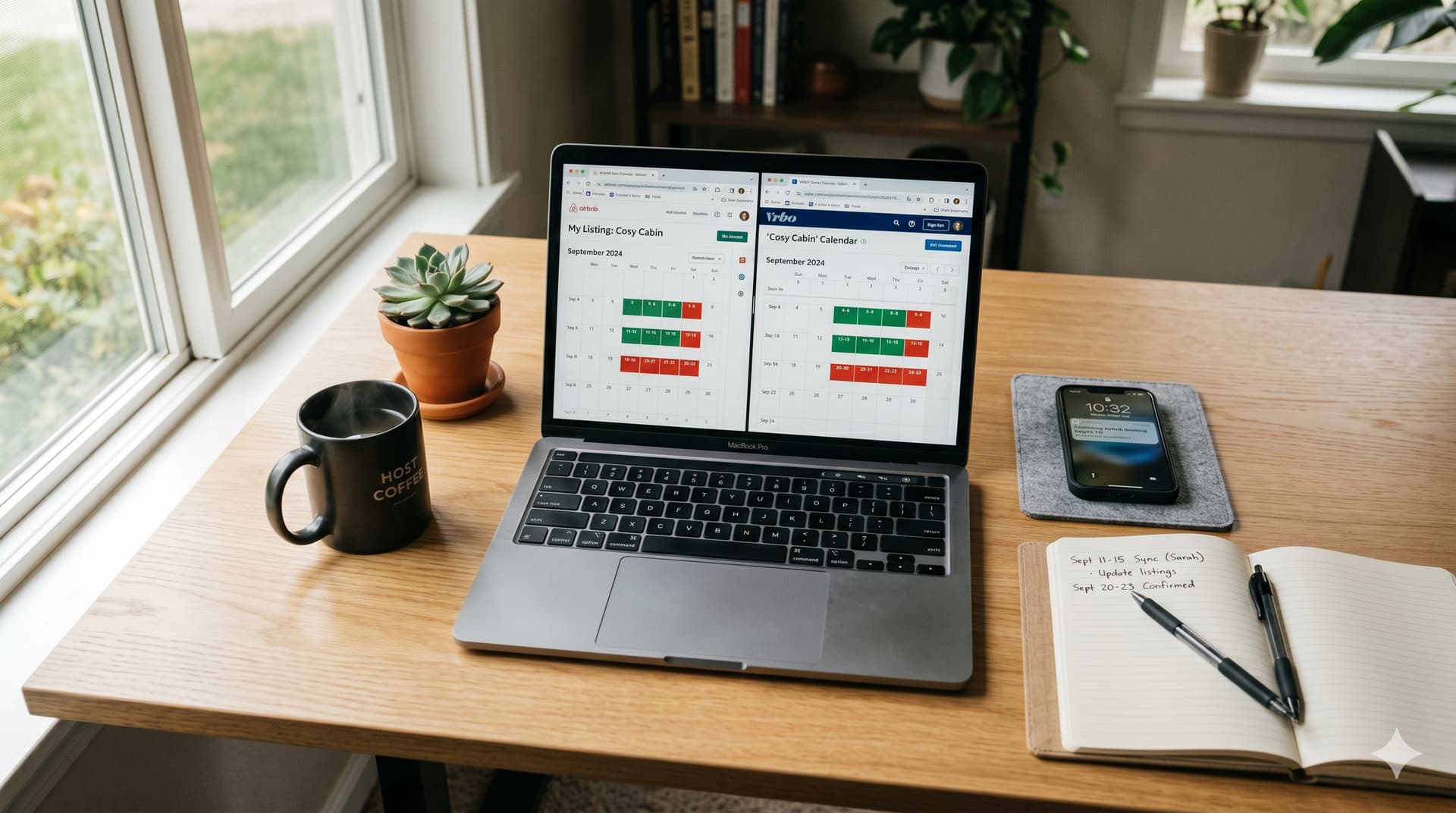
Airbnb calendar sync is the process of connecting your Airbnb booking calendar to another platform. VRBO, Google Calendar, or a third-party tool, so that booked dates on one platform are automatically blocked on the others. If you list your property on both Airbnb and VRBO, calendar sync is the minimum requirement to prevent double bookings.
But calendar sync has limitations that most hosts don't discover until something goes wrong. The sync isn't instant, it doesn't share booking details, and it doesn't tell your cleaner anything about the turnovers that bookings create.
This guide covers how to set up calendar sync step by step, what it actually does (and doesn't do), and how to go beyond basic sync to coordinate your entire turnover operation.
How Do You Sync Your Airbnb Calendar with VRBO?
You sync your Airbnb calendar with VRBO by exporting your Airbnb calendar as an iCal URL and importing it into VRBO, then doing the reverse, exporting VRBO's calendar and importing it into Airbnb. This two-way sync blocks booked dates on both platforms.
Step-by-step: Airbnb to VRBO
- In Airbnb: Go to your listing → Calendar → Availability → scroll to "Connect calendars" (or "Import/export calendar") → Copy the iCal export URL
- In VRBO: Go to your listing → Calendar → Import calendar → Paste the Airbnb iCal URL → Name it "Airbnb" → Save
Step-by-step: VRBO to Airbnb
- In VRBO: Go to your listing → Calendar → Export calendar → Copy the iCal export URL
- In Airbnb: Go to your listing → Calendar → Availability → scroll to "Connect calendars" → Import calendar → Paste the VRBO iCal URL → Name it "VRBO" → Save
Important notes
- Both directions are required. If you only import Airbnb into VRBO but not VRBO into Airbnb, then a VRBO booking won't block dates on Airbnb, and you'll get a double booking.
- The sync is NOT instant. iCal sync depends on how frequently each platform polls for updates. Airbnb typically syncs every 1–3 hours. VRBO syncs every 2–4 hours. This means there's a window, potentially several hours, where a new booking on one platform hasn't yet blocked the dates on the other.
- Same-day bookings are the highest risk. If someone books tonight's date on Airbnb, it might take 2–4 hours for that block to appear on VRBO. If someone else books the same date on VRBO during that window, you have a double booking.
How to minimize the sync delay risk
- Check both calendars manually when accepting last-minute or same-day bookings
- Consider using Airbnb's and VRBO's connected calendar settings to increase sync frequency where available
- If you consistently get same-day bookings on both platforms, a channel manager (Hostaway, Lodgify, Guesty) provides near-real-time sync, but costs significantly more than manual iCal sync
How Do You Sync Your Airbnb Calendar with Google Calendar?
You sync your Airbnb calendar with Google Calendar by importing Airbnb's iCal URL into Google Calendar as a subscription. This gives you a read-only view of your Airbnb bookings alongside your personal calendar.
Step-by-step
- In Airbnb: Go to your listing → Calendar → Availability → "Connect calendars" → Copy the iCal export URL
- In Google Calendar: Click the "+" next to "Other calendars" → "From URL" → Paste the iCal URL → Click "Add calendar"
- Repeat for VRBO if you list on both platforms, add VRBO's iCal URL as a separate calendar subscription
What you see in Google Calendar
- Booking blocks showing the dates each booking covers
- The SUMMARY field from the iCal event (typically "Reserved" or "Not available". Airbnb doesn't include guest names in iCal exports for privacy)
What you DON'T see in Google Calendar
- Guest names or contact information
- Check-in and check-out times (just dates)
- Booking details (number of guests, booking source, special requests)
- The ability to edit. Google Calendar subscriptions from iCal URLs are read-only
This makes Google Calendar useful as a personal overview of your booking schedule, but it's not a tool your cleaner can use for turnover coordination, because it doesn't contain the details they need to do their job.
What Are the Limitations of Basic Calendar Sync?
Basic iCal calendar sync has three major limitations that affect your day-to-day operations: sync delays, missing details, and no downstream coordination.
Limitation 1: Sync delay
As covered above, iCal sync is not real-time. The polling interval, the gap between when a booking is made and when it's reflected on the other platform, ranges from 30 minutes to 4+ hours depending on the platforms involved. During peak booking periods, this delay creates genuine double booking risk.
Limitation 2: Missing booking details
iCal exports only contain dates and a basic status. They don't include:
- Guest name
- Check-in and check-out times (only dates)
- Number of guests
- Booking platform (which listing the booking came from)
- Special requests or notes
For hosts managing one property, this is manageable, you check each platform individually for details. For hosts managing 3+ properties across Airbnb and VRBO, checking each platform for each booking's details is time-consuming and error-prone.
Limitation 3: No downstream coordination
This is the biggest limitation. Calendar sync prevents double bookings, but it doesn't notify your cleaner, schedule your turnovers, or coordinate your operations. When a new booking creates a turnover window, basic calendar sync doesn't:
- Tell your cleaner when to show up
- Calculate the checkout-to-check-in clean window
- Alert you to same-day turnovers with tight timing
- Update your cleaner when a booking changes or cancels
These are the operational tasks that happen downstream of every calendar change, and they're the tasks that break when you're relying on manual text messages to coordinate.
What's the Step Beyond Calendar Sync?
The step beyond basic calendar sync is calendar-based cleaning coordination, a tool that reads your synced Airbnb and VRBO calendars, detects every turnover window (the gap between one guest's checkout and the next guest's check-in), and automatically notifies your cleaner with the specific details they need.
This is what GleamSync does. It connects to your Airbnb and VRBO calendars via the same iCal feeds you use for platform sync, then:
- Detects every turnover window - including same-day turnovers, back-to-back bookings, and gaps between stays
- Sends your cleaner automated email and SMS notifications with the exact checkout time, check-in time, and property address
- Updates automatically when bookings change - cancellations, extensions, new bookings, and modifications trigger updated notifications
- Works across both platforms - whether the booking is from Airbnb or VRBO, the turnover notification goes to your cleaner
Your cleaner doesn't need an app, an account, or any new technology. They receive the notification at their existing email and phone number, the same channels they already use.
At $8/month per property, GleamSync sits on top of your existing calendar sync and turns booking data into operational coordination.
For more on how iCal technology works at a technical level, see our guide on what is iCal sync and why it matters for vacation rentals.
For the complete automation stack including pricing, messaging, and smart locks, see our guide on how to automate your Airbnb business.
Frequently Asked Questions
Can Airbnb and VRBO calendar sync cause double bookings?
Yes, because iCal sync is not real-time. There's a delay (typically 1–4 hours) between when a booking is made on one platform and when it blocks dates on the other. Same-day or last-minute bookings are the highest risk. To minimize this, check both platforms manually when accepting short-notice bookings, or use a channel manager for near-real-time sync.
How often does Airbnb sync calendars?
Airbnb polls imported iCal feeds for updates approximately every 1–3 hours. You can also manually trigger a sync by going to your calendar settings and clicking "Sync now" or "Refresh." VRBO typically polls every 2–4 hours. Neither platform guarantees a specific sync interval.
Can I sync more than two platforms?
Yes, you can import multiple iCal URLs into any platform that supports iCal. If you list on Airbnb, VRBO, and Booking.com, you'd import each platform's iCal URL into the other two (creating a full mesh). This gets complex quickly with 3+ platforms, which is why hosts at that scale often move to a channel manager that centralizes calendar management.
Does calendar sync share guest information between platforms?
No. iCal sync only shares blocked dates and a basic status label. Guest names, contact information, booking details, and financial information are never shared through iCal. Each platform maintains its own guest data independently.
Should I use a channel manager instead of manual iCal sync?
If you list on 2 platforms (Airbnb + VRBO), manual iCal sync works fine for most hosts, it's free and takes 5 minutes to set up. If you list on 3+ platforms, manage 5+ properties, or frequently get same-day bookings where the sync delay creates real risk, a channel manager (Hostaway, Lodgify, Guesty) provides faster sync and centralized management, at $20–$50/month per listing.
Calendar Sync Prevents Double Bookings. GleamSync Prevents Missed Cleans.
Syncing your calendars is step one, making sure your cleaner knows about every turnover those bookings create is step two. GleamSync reads your synced Airbnb and VRBO calendars and automatically notifies your cleaner with the exact details they need for every clean.
Try GleamSync for $8/month per property, and keep the cleaner who already knows your place.
Start your free trial at gleamsync.com
Related reading:
Share this article

Mark Fromson
Founder of GleamSync and vacation rental owner. Learn more
Related Articles
Airbnb Deep Clean vs. Turnover Clean: When to Do Each
Airbnb deep clean vs turnover clean: what each includes, how often to schedule them, cost comparisons, and how to coordinate both with your cleaner.
How to Become an Airbnb Superhost: The Operational Playbook
A practical guide to earning and keeping Airbnb Superhost status. Covers all four requirements and the operational systems that keep you qualified.
Vacation Rental Maintenance Checklist: A Seasonal Guide
A seasonal vacation rental maintenance checklist for Airbnb and VRBO hosts. Monthly, quarterly, and annual tasks for HVAC, plumbing, safety, and appliances.
Simplify Your Cleaning Coordination
Sync Airbnb, VRBO, Booking.com or any calendar with a link, notify your cleaners automatically, and never miss a turnover.
Start Free Trial