
The Complete Airbnb Welcome Book Template (Free)
Create the perfect Airbnb welcome book with our free template. Covers Wi-Fi, house rules, checkout, local recommendations, and emergency contacts.
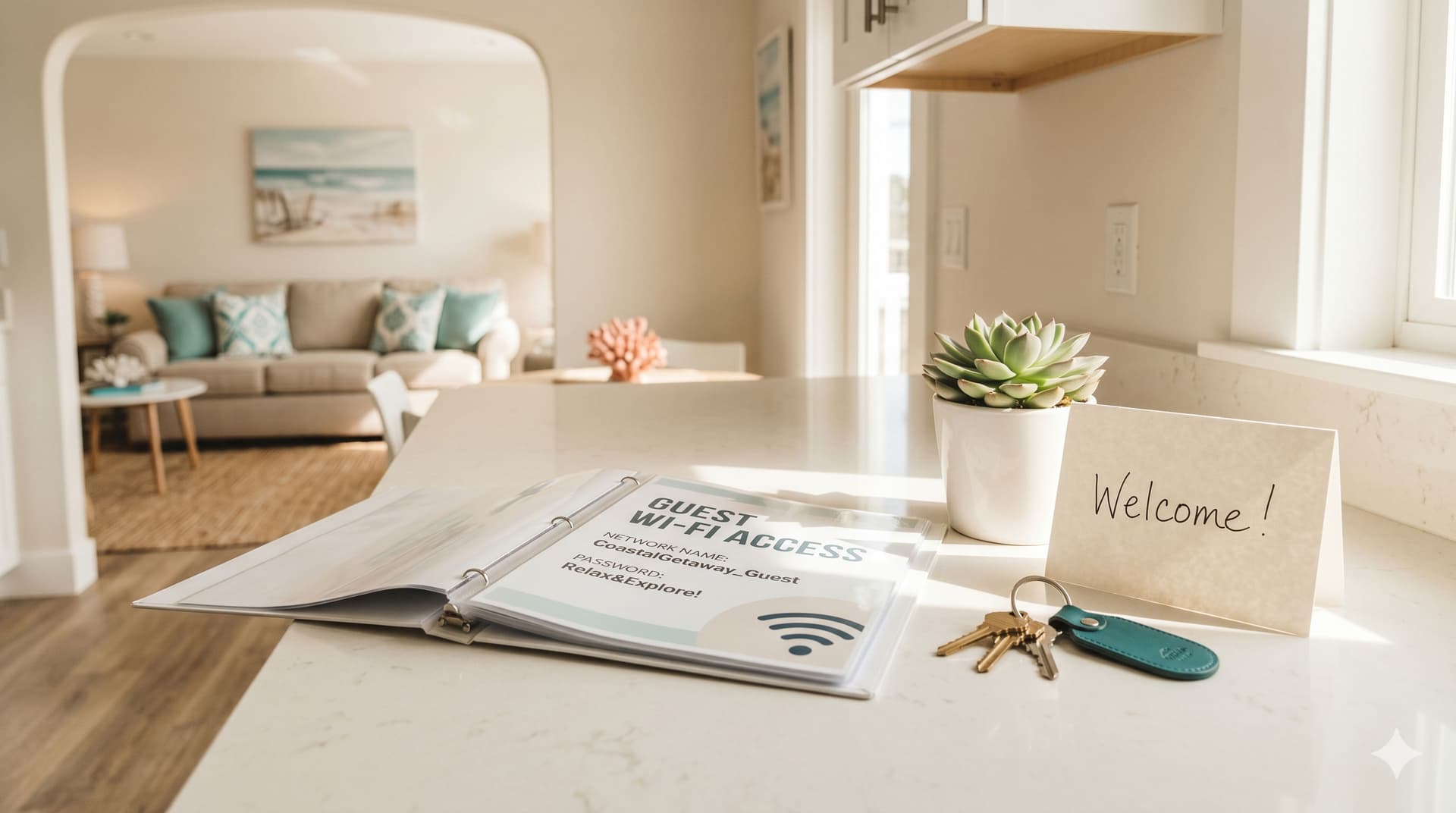
An Airbnb welcome book is a guide you provide to guests that contains everything they need to know about your property and the surrounding area, from the Wi-Fi password and checkout time to the best local restaurants and how to operate the coffee maker. A good welcome book answers questions before guests ask them, reduces mid-stay messages, and sets clear expectations for checkout.
Whether you create a printed binder, a digital PDF, or use a guidebook platform like Touchstay or Hostfully, the content structure is the same. This guide gives you the complete template, every section your welcome book should include, what to write in each one, and how to deliver it so guests actually read it.
What Should You Include in an Airbnb Welcome Book?
Your Airbnb welcome book should include eight core sections: a welcome message, Wi-Fi and connectivity, house rules, property guide (appliances and systems), checkout instructions, local area guide, emergency information, and contact details. Each section serves a specific purpose, skip one and you'll get the messages you were trying to avoid.
The complete template, section by section:
Section 1: Welcome message
Keep this short. 3–4 sentences. Thank the guest for choosing your property, tell them you're available if they need anything, and point them to the rest of the book for answers to common questions.
Example:
"Welcome to [Property Name]! We're so glad you're here. This guide has everything you need for a great stay. Wi-Fi, house rules, local favorites, and checkout details. If anything comes up that isn't covered here, just message us through Airbnb and we'll get back to you quickly."
Section 2: Wi-Fi and connectivity
This is the first thing every guest looks for. Put it on its own page (printed) or at the very top (digital).
Include:
- Network name and password (large, clear font, no one wants to squint at a 16-character password)
- Streaming services available (Smart TV apps, Roku, Apple TV, and whether guests can log into their own accounts)
- Bluetooth speaker instructions if provided
- Cell signal notes if the property is in a low-coverage area
Section 3: House rules
Restate your house rules from your Airbnb listing, guests may not have read them during booking. Keep the tone friendly but clear.
Essential rules to include:
- Quiet hours (typically 10 PM – 8 AM)
- Smoking policy
- Pet policy (whether allowed, and any restrictions)
- Maximum guest count
- Parking instructions
- Shoes on/off preference
- Any pool, hot tub, or outdoor area rules
For a detailed breakdown of house rules with copy-paste templates, see our Airbnb house rules template guide.
Section 4: Property guide (appliances and systems)
This section prevents 80% of "how do I…" messages. Cover every appliance or system that isn't completely intuitive.
Include instructions for:
- Thermostat / HVAC - how to adjust temperature, what range to keep it in, whether it's smart-controlled
- Coffee maker - type (drip, Keurig, espresso), where pods/filters are, how to use it
- Oven and stovetop - especially if it's induction (many guests have never used one)
- Dishwasher - where to find detergent, which cycle to use
- Washer and dryer - if available for guest use, include basic operation and where detergent is stored
- TV and entertainment - how to switch inputs, access streaming apps, use the sound system
- Smart lock - how the code works, whether it auto-locks, what to do if it doesn't respond
- Fireplace - gas vs. wood, how to operate, safety warnings
- Hot tub or pool - operation, temperature range, cover instructions, chemicals (if any)
- Grill / BBQ - propane location, ignition, cleaning expectations
Pro tip: include photos or simple diagrams for anything with buttons or settings that aren't obvious. A photo of the thermostat with an arrow pointing to the temperature control saves more messages than a paragraph of text.
Section 5: Checkout instructions
This is the most operationally important section, it directly affects your cleaner's turnover workflow. Restate the same information from your Airbnb listing checkout instructions:
- Checkout time (specific, not vague)
- Lock up / key return instructions
- Gather used towels (where to leave them)
- Throw away trash (where the bins are)
- Turn off lights, HVAC, appliances
- Any property-specific tasks (cover the hot tub, close the garage)
Keep it to 5 tasks maximum. For a complete guide on what to include and what to skip, see our Airbnb checkout instructions guide.
Section 6: Local area guide
This is where your welcome book becomes a competitive advantage. Generic properties have generic guidebooks. Properties with thoughtful local recommendations earn five-star reviews and repeat bookings.
Include:
- Restaurants - your personal top 5, with a sentence about each ("Best tacos in town, try the al pastor." "Great for a nice dinner out, make a reservation."). Include a mix of casual and upscale.
- Coffee shops - the nearest one and the best one (not always the same)
- Grocery stores - the closest option and the best option for specialty items
- Activities and attractions - what's nearby and worth doing, sorted by type (outdoor, family, rainy day, nightlife)
- Beach / trail / park access - directions, parking tips, any passes needed
- Emergency services - nearest hospital, urgent care, pharmacy
A simple map or list with addresses works. If you use a digital guidebook, you can embed Google Maps links for each recommendation.
Section 7: Emergency information
Guests need to know what to do if something goes wrong, and who to call.
Include:
- Emergency number (911 in the US/Canada, or local equivalent)
- Nearest hospital / urgent care name, address, and phone number
- Non-emergency property issues: "Message us on Airbnb or call/text [your number]"
- Fire extinguisher location
- First aid kit location
- Circuit breaker / water shutoff location (for emergencies only)
Section 8: Contact details
- Your name (or your co-host / property manager's name)
- "Best way to reach us: message through Airbnb"
- Backup phone number for urgent issues
- A note that you aim to respond within [X] minutes/hours
Should You Create a Digital or Printed Welcome Book?
Create both. A digital welcome book linked in your check-in message reaches guests who plan ahead. A printed welcome book at the property reaches guests who don't check their phone. Using both channels covers everyone.
Digital welcome book options
Free options:
- A well-formatted PDF (created in Google Docs or Canva) linked in your pre-arrival message
- A Notion or Google Doc page with your welcome book content, shared via link
- Airbnb's own House Manual feature (limited formatting but built into the platform)
Paid guidebook platforms:
- Touchstay. ~$6/month per property, polished digital guidebook with analytics
- Hostfully, free digital guidebook (basic) or paid with PMS features
- Yaago, digital guidebook with chat integration
The advantage of a dedicated platform is analytics (you can see which sections guests actually read), automatic translation, and a professional look without design skills.
Printed welcome book tips
- Use a binder or laminated cards - loose paper gets damaged quickly. A small ring binder with laminated pages lasts for years and wipes clean.
- Place it where guests will see it - kitchen counter or dining table. Not in a drawer, not on a bookshelf.
- Large font, simple layout - guests are scanning, not studying. Use headings, bullet points, and white space.
- Update seasonally - swap out restaurant recommendations that have closed, update pool/heating instructions for the season, and refresh any pricing or hours that have changed.
Download Our Free Airbnb Welcome Book Template
We have put together a free, print-ready welcome book template in PDF format that you can customize for your property. It includes all eight sections covered in this guide, formatted with clear headings, placeholder text you can replace with your own details, and a clean layout that works both as a printed binder insert and a digital PDF you can share with guests.
What is included in the template:
- Welcome message (with placeholder for your property name and contact details)
- Wi-Fi and connectivity page (large-format network name and password fields)
- House rules page (pre-populated with the most common rules, editable)
- Property guide pages (appliance instructions with space for your specific details)
- Checkout instructions page (matching the format from our checkout instructions guide)
- Local area guide (restaurant, coffee, grocery, and activity recommendation slots)
- Emergency information page
- Host contact details page
How to use it:
- Download the PDF below
- Open it in any PDF editor (Adobe Acrobat, Preview on Mac, or a free tool like Smallpdf)
- Replace the placeholder text with your property-specific information
- Print and laminate for your property, or share the digital version in your check-in message
Download the free Airbnb Welcome Book Template (PDF)
How Do You Deliver Your Welcome Book to Guests?
Deliver your welcome book through three touchpoints: the pre-arrival message, the check-in day message, and the physical property itself. Redundancy is intentional, not every guest reads every message.
Touchpoint 1: Pre-arrival message (2–3 days before check-in)
Include a link to your digital welcome book or PDF. Frame it as helpful, not overwhelming: "Here's your guide to [Property Name], it has the Wi-Fi password, local restaurant picks, and everything you'll need for a great stay."
Touchpoint 2: Check-in day message
Resend the link along with the specific check-in instructions (door code, directions). Highlight the Wi-Fi password and one or two key details: "Wi-Fi is [network/password]. There's a printed welcome book on the kitchen counter with restaurant recommendations and checkout details."
Touchpoint 3: At the property
The printed welcome book sits on the kitchen counter or dining table. It's open to the Wi-Fi page. Guests who ignored both messages will find it within minutes of walking in.
Frequently Asked Questions
What's the difference between a welcome book and Airbnb's house manual?
Airbnb's built-in house manual is a basic text-only section of your listing where you can add notes about your property. It has limited formatting and no images. A welcome book (whether a PDF, printed binder, or digital guidebook) is a standalone document you create with full design control, photos, maps, formatted sections, and a professional layout. Most hosts use both: the house manual for essential details within the Airbnb app, and a separate welcome book for the full guide.
How long should an Airbnb welcome book be?
Aim for 8–12 pages printed, or the equivalent in a digital format. Long enough to cover all eight sections thoroughly, short enough that guests will actually scan it. The local area guide typically takes the most space (3–4 pages). Property instructions and checkout each take 1–2 pages. Everything else fits on a page each.
Should I include pricing or fees in the welcome book?
No. The welcome book is a guest experience tool, not a business document. Don't include your nightly rate, cleaning fee, or any references to costs. The exception is if you offer paid add-on services (late checkout for a fee, firewood bundles, equipment rentals), these can go in a small "extras" section.
How often should I update my welcome book?
At minimum, twice per year (spring and fall) to account for seasonal changes, pool opening/closing, heating vs. AC instructions, restaurant hours, and local attraction availability. Also update immediately whenever: a restaurant you recommend closes, you change an appliance or access code system, your checkout instructions change, or Airbnb updates its policies in a way that affects guest expectations.
Can I use my welcome book to reduce guest messages?
Yes, that's one of its primary purposes. Hosts with detailed welcome books consistently report significantly fewer mid-stay messages. The key is making the information findable: clear section headings, a table of contents (for digital versions), and the Wi-Fi password on the first page. If guests can find the answer faster in your book than by messaging you, they'll use the book.
Your Welcome Book Sets Expectations. GleamSync Delivers on Them.
Your welcome book tells guests when to check out and how to leave the property. GleamSync tells your cleaner when the guest is leaving and what turnover is coming next. Together, they turn your checkout process into a system that runs without manual coordination.
Try GleamSync for $8/month per property, and keep the cleaner who already knows your place.
Start your free trial at gleamsync.com
Related reading:
Share this article

Mark Fromson
Founder of GleamSync and vacation rental owner. Learn more
Related Articles
Airbnb Deep Clean vs. Turnover Clean: When to Do Each
Airbnb deep clean vs turnover clean: what each includes, how often to schedule them, cost comparisons, and how to coordinate both with your cleaner.
How to Become an Airbnb Superhost: The Operational Playbook
A practical guide to earning and keeping Airbnb Superhost status. Covers all four requirements and the operational systems that keep you qualified.
Vacation Rental Maintenance Checklist: A Seasonal Guide
A seasonal vacation rental maintenance checklist for Airbnb and VRBO hosts. Monthly, quarterly, and annual tasks for HVAC, plumbing, safety, and appliances.
Simplify Your Cleaning Coordination
Sync Airbnb, VRBO, Booking.com or any calendar with a link, notify your cleaners automatically, and never miss a turnover.
Start Free Trial