
Airbnb Checkout Instructions: What Every Host Should Include
Create clear Airbnb checkout instructions that keep guests happy and your cleaner on schedule. What to ask for, what to skip, and how to automate the reminders.
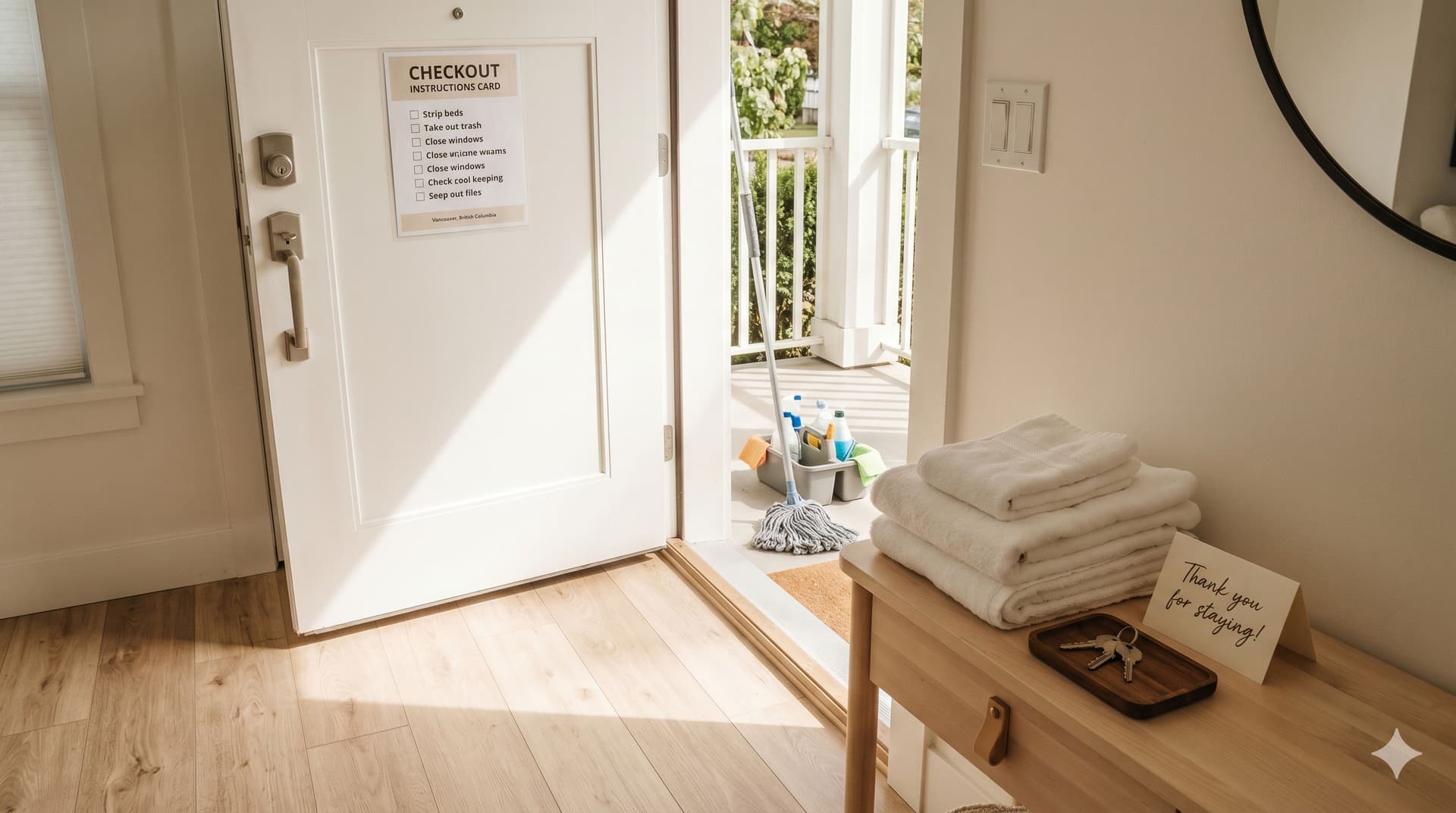
Airbnb checkout instructions are the specific tasks and information you provide to guests about how to leave your property, including when to leave, what to do before they go, and how to secure the property on departure. Clear checkout instructions protect your property, keep your cleaner on schedule, and leave guests with a positive final impression.
Getting checkout instructions right matters more in 2026 than it ever has. Airbnb updated its guest feedback system to allow guests to report "excessive checkout tasks", and hosts who repeatedly receive these complaints risk losing listing visibility or removal from the platform. The line between helpful guidance and asking guests to do your cleaning has become a real business consideration.
This guide covers what to include, what to leave out, how to communicate instructions effectively, and how your checkout process connects to the cleaning turnover that follows.
What Should You Include in Your Airbnb Checkout Instructions?
Your Airbnb checkout instructions should include five things: the checkout time, 3–5 simple departure tasks, key or lock instructions, trash and recycling guidance, and any property-specific notes. Keep it short, guests should be able to complete everything in under 10 minutes.
The complete list of what works:
The essentials (include these in every property)
- Checkout time - state it clearly with no ambiguity. "Please check out by 10:00 AM" is better than "checkout is in the morning." If you allow flexibility, say so: "Checkout by 10:00 AM, or message us if you need up to 11:00 AM."
- Lock up - close and lock all windows and doors. If you have a smart lock, tell them whether the door locks automatically or they need to press a button. If there's a lockbox, tell them exactly where to leave the key.
- Gather used towels - ask guests to leave used towels in one location (the bathtub, a laundry basket, or the floor of the bathroom). This saves your cleaner time sorting through the property.
- Throw away trash - tell guests where the trash bins and recycling are. If there's a specific bin location outside the property, describe it: "Trash and recycling bins are in the garage, left side."
- Turn things off - lights, heating/AC, fans, fireplace, oven, stovetop. If there's a thermostat your cleaner will reset, mention it: "Please turn the thermostat down to 65°F / 18°C before you leave."
Property-specific additions (include only if relevant)
- Hot tub or pool - "Please replace the hot tub cover before departure"
- Fireplace - "Make sure the fireplace is fully extinguished"
- Grill or BBQ - "Turn off propane and close the grill lid"
- Garage or gate - "Close the garage door using the remote on the kitchen counter"
- Pet-related - if your property is pet-friendly, ask guests to pick up after their pet in the yard before leaving
What NOT to include
This is where many hosts get into trouble. Airbnb's 2024 guest feedback update allows guests to report "excessive checkout tasks," and repeated complaints can affect your listing. Avoid asking guests to:
- Strip the beds or start laundry - this is your cleaner's job. You charge a cleaning fee for a reason.
- Wash dishes - loading the dishwasher is reasonable if you frame it gently. Requiring hand-washed, dried, and put-away dishes is not.
- Mop or vacuum floors - guests are not your cleaning crew.
- Move furniture back to its original position - if this is a recurring problem, the issue is your furniture layout, not your guests.
- Take out trash to a curb on a specific pickup day - guests don't know your municipal schedule and shouldn't need to.
The rule of thumb: if a task takes more than 2 minutes or requires knowledge the guest doesn't have, your cleaner should handle it.
What Time Should You Set for Airbnb Checkout?
The most common Airbnb checkout time is between 10:00 AM and 11:00 AM, with Airbnb defaulting to 11:00 AM if no time is specified. The right checkout time for your property depends on your check-in time for the next guest and how long your cleaner needs for the turnover.
The math that matters:
| Checkout Time | Check-in Time | Clean Window | Works For |
|---|---|---|---|
| 10:00 AM | 4:00 PM | 6 hours | Large properties (3+ bedrooms), deep cleans, laundry on-site |
| 10:00 AM | 3:00 PM | 5 hours | Standard 2–3 bedroom turnovers |
| 11:00 AM | 4:00 PM | 5 hours | Standard 2–3 bedroom turnovers |
| 11:00 AM | 3:00 PM | 4 hours | Small properties (studio/1-bedroom), experienced cleaner |
| 11:00 AM | 2:00 PM | 3 hours | Tight, requires fast cleaner, small property, no laundry |
For a deeper look at how checkout and check-in times create your turnover clean window, see our guide on understanding vacation rental turnover clean windows.
The most common mistake: setting checkout at 11:00 AM and check-in at 3:00 PM because those are the "standard" times, without confirming that your cleaner can reliably complete the turnover in 4 hours. If your cleaner regularly needs 5 hours for a 3-bedroom property, you need either an earlier checkout or a later check-in.
Talk to your cleaner before setting your times. They know how long the property takes better than anyone.
How Do You Communicate Checkout Instructions to Guests?
You communicate checkout instructions through three channels: Airbnb's built-in checkout instructions feature, an automated message the evening before departure, and an in-property reference (printed card or digital guidebook). Using all three ensures every guest sees the information regardless of how they interact with the platform.
Channel 1: Airbnb's listing checkout instructions
Airbnb lets you add checkout instructions directly in your Listing editor under the Arrival guide section. You can select from preset tasks (gather towels, throw trash away, turn things off, lock up, return keys) and add custom details to each.
This is visible to guests before they even book, which sets expectations early, and appears in their Trips tab throughout the stay.
Channel 2: Automated checkout reminder message
Send a message the evening before checkout (around 5:00–6:00 PM). Airbnb will also send its own automated reminder at 5:00 PM the day before, but your personal message adds warmth and specific details.
A good checkout reminder message includes:
- A thank-you for their stay
- The checkout time
- The 3–5 key tasks (restated from your listing instructions)
- Any property-specific reminders (hot tub cover, garage door)
- An offer to help if they need anything ("If you need a later checkout, message us, we'll check with our cleaner")
Use Airbnb's Scheduled Messages to automate this so you never forget to send it. Set the trigger to "1 day before checkout."
Channel 3: In-property reference
Place a simple, laminated checkout card in a visible location, on the kitchen counter, on the fridge, or inside your welcome book. Keep it to a single card with large, clear text. Many guests don't check their Airbnb messages on departure day, the physical card catches what digital messages miss.
If you use a digital guidebook (Touchstay, Hostfully, or a custom one), include a checkout section with the same information. Link to it from your automated checkout message.
How Should You Handle Late Checkout Requests?
Handle late checkout requests by checking your turnover schedule before responding. If there's no same-day check-in after the departing guest, late checkout costs you nothing. If there is a same-day turnover, late checkout compresses your clean window and risks a dirty property for the next guest.
When to say yes
- No guest checking in that day, grant it freely. This is an easy five-star moment.
- Next check-in is 6+ hours after the requested late checkout, you probably still have enough clean time. Confirm with your cleaner.
- The guest asks politely and in advance (not at 10:55 AM on checkout day)
When to say no (politely)
- Same-day turnover with a tight clean window: "I'd love to accommodate, but we have a guest arriving this afternoon and our cleaner needs the full window to get the property ready. I can offer checkout by [30 minutes later] if that helps."
- The guest hasn't asked, they just haven't left. This is a different problem. Message them immediately: "Hi [name], just checking in, our checkout time is [time] and we want to make sure our cleaner has enough time to prepare for the next guests. Are you on your way out?"
Should you charge a late checkout fee?
Some hosts charge a flat fee ($25–$50) for late checkout requests, which compensates for the scheduling disruption and signals that your time has value. Others offer it free when available. Either approach works, what matters is that you have a clear policy communicated before or at booking, not sprung on guests at departure.
For more on how cleaning fees and pricing work for vacation rental turnovers, see our guide on cleaner pay rates.
How Does Checkout Connect to Cleaning Coordination?
Checkout connects to cleaning coordination because the moment a guest checks out, the turnover clock starts ticking. Your cleaner needs to know the checkout time, the property address, and whether there's a same-day check-in, and they need to know it automatically, not via a last-minute text.
The chain reaction a checkout triggers:
- Guest checks out at the time specified in your instructions
- Cleaner arrives - ideally within 30–60 minutes of checkout
- Turnover clean happens - following the property-specific checklist
- Property is guest-ready before the next check-in time
The weak link in this chain is step 2: making sure your cleaner knows about the turnover in the first place. When you're managing one property, a text message works. When you're managing 3–5 properties with overlapping turnovers, same-day bookings, and last-minute changes, texts get missed and cleans get forgotten.
This is the problem GleamSync solves. GleamSync, a vacation rental cleaning coordination SaaS, syncs with your Airbnb and VRBO calendars, detects every turnover window based on your actual checkout and check-in times, and sends your cleaner automated email and SMS notifications with the exact details they need. When a booking changes, a cancellation, an extension, a new same-day booking. GleamSync detects it and updates your cleaner automatically.
Your cleaner doesn't need an app or an account. They receive notifications at the email and phone number you have on file. At $8/month per property, it costs less than one missed clean's worth of bad reviews.
For hosts managing multiple properties across Airbnb and VRBO, see our guide on how to automate your Airbnb business for the full automation stack.
Frequently Asked Questions
What is the standard Airbnb checkout time?
Airbnb's default checkout time is 11:00 AM local time if no time is specified by the host. Most hosts set checkout between 10:00 AM and 11:00 AM. You can set any checkout time you want in your Listing editor, just make sure it gives your cleaner enough time for the turnover before your next guest's check-in. Popular markets with high-volume same-day turnovers tend to set earlier checkouts (10:00 AM) to maximize the clean window.
Can Airbnb penalize me for excessive checkout tasks?
Yes. As of Airbnb's 2024 guest feedback update, guests can report "excessive checkout tasks" in their post-stay ratings. Listings with repeated complaints may lose search visibility or be removed from the platform entirely. Stick to simple tasks that take under 10 minutes: gather towels, bag trash, turn things off, lock up. Anything beyond that should be handled by your cleaner, not your guests.
Should I ask guests to strip the beds?
No, in most cases, asking guests to strip beds crosses the line into excessive tasks, especially if you charge a cleaning fee. Your cleaner handles linen as part of the turnover. The exception is if you run a property without a cleaning fee and have clearly communicated a "leave it as you found it" policy from the start, but this is increasingly rare and risky given Airbnb's updated feedback system.
How do I handle a guest who won't leave on time?
Start with a friendly message through the Airbnb app: "Hi [name], just checking in, our checkout time is [time] and our cleaning team is scheduled to arrive shortly. Are you on your way out?" If they don't respond within 30 minutes, call them. If they still won't leave, contact Airbnb Support, they can intervene. Document everything through the platform in case you need to file a claim for the disrupted turnover.
How do I automate checkout reminders?
Use Airbnb's Scheduled Messages feature (found under Hosting > Messaging > Scheduled Messages). Create a checkout reminder template and set it to trigger "1 day before checkout." Airbnb will also send its own automated reminder at 5:00 PM the day before departure if the guest has the app installed and notifications enabled. For the most reliable coverage, use both your custom message and Airbnb's built-in reminder.
Your Checkout Triggers the Clean. Automate Both.
Clear checkout instructions get your guests out on time. But that's only half the equation, your cleaner still needs to know about every turnover, every change, and every same-day booking.
GleamSync connects to your Airbnb and VRBO calendars, detects every turnover window automatically, and sends your cleaner exactly what they need to know, exactly when they need to know it. No marketplace. No manual scheduling. No missed turnovers.
Try GleamSync for $8/month per property, and keep the cleaner who already knows your place.
Start your free trial at gleamsync.com
Related reading:
Share this article

Mark Fromson
Founder of GleamSync and vacation rental owner. Learn more
Related Articles
Airbnb Deep Clean vs. Turnover Clean: When to Do Each
Airbnb deep clean vs turnover clean: what each includes, how often to schedule them, cost comparisons, and how to coordinate both with your cleaner.
How to Become an Airbnb Superhost: The Operational Playbook
A practical guide to earning and keeping Airbnb Superhost status. Covers all four requirements and the operational systems that keep you qualified.
Vacation Rental Maintenance Checklist: A Seasonal Guide
A seasonal vacation rental maintenance checklist for Airbnb and VRBO hosts. Monthly, quarterly, and annual tasks for HVAC, plumbing, safety, and appliances.
Simplify Your Cleaning Coordination
Sync Airbnb, VRBO, Booking.com or any calendar with a link, notify your cleaners automatically, and never miss a turnover.
Start Free Trial