
Airbnb Guest Damage: When to File a Claim, When to Let Go
A host's guide to Airbnb guest damage. How to use the Resolution Center, what AirCover covers, and when to file a claim instead of absorbing the cost.
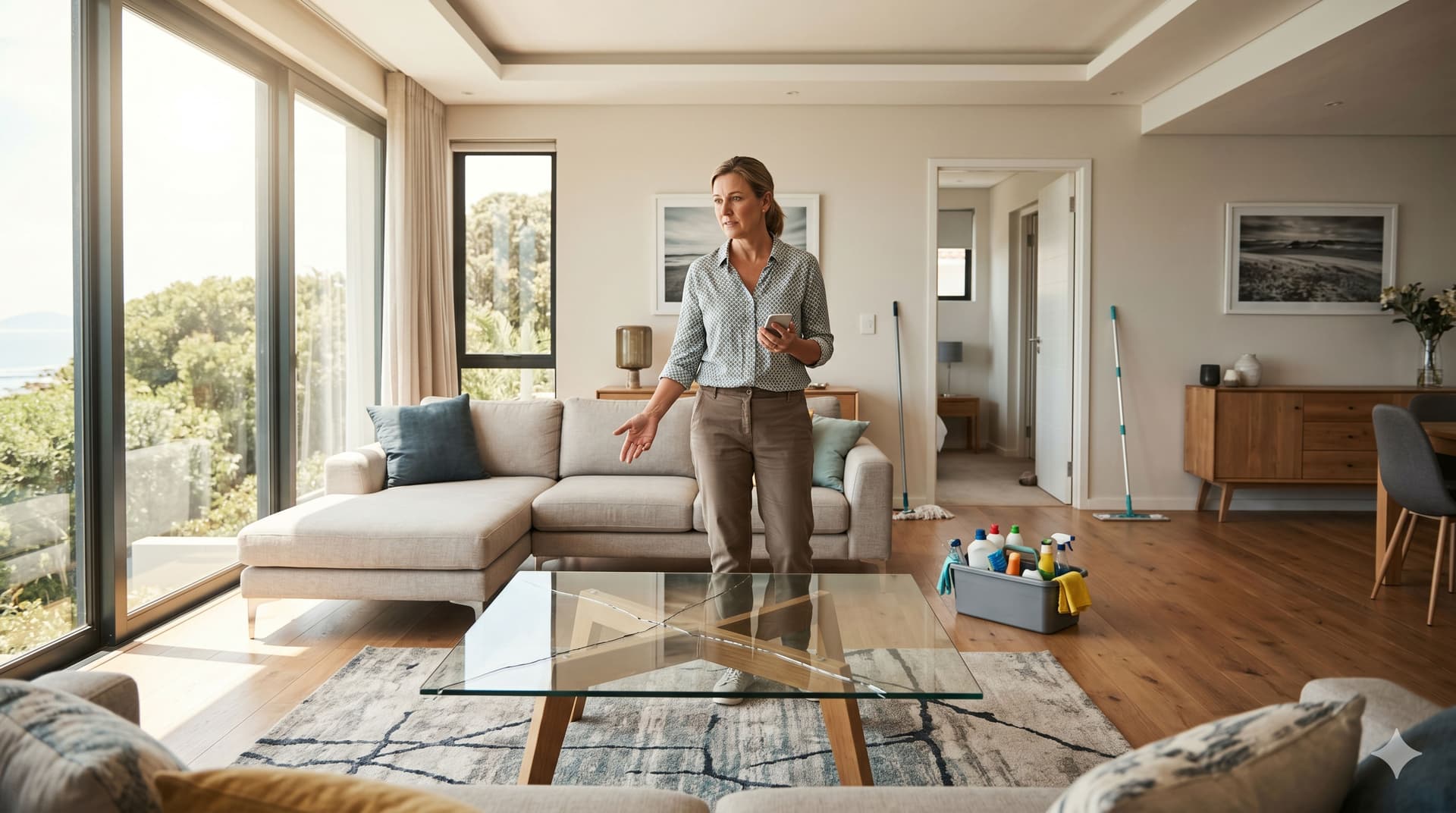
Every Airbnb host will eventually have a guest damage their property. It might be a chipped countertop, a stained sofa, a broken window, or a missing TV remote. The damage might be accidental, careless, or deliberate, and the question you'll face isn't just "how do I get compensated?" It's "is this worth pursuing at all?"
This guide walks you through Airbnb's damage claim process using the Resolution Center, explains what AirCover for Hosts actually covers, and, most importantly, gives you a practical framework for deciding when to file a claim and when to absorb the loss and move on.
We've included real scenarios from hosting communities across Reddit and the Airbnb Community Forum, because the best way to learn how damage claims play out is from hosts who've been through them.
What Is the Airbnb Resolution Center and How Does It Work?
The Airbnb Resolution Center is the platform's built-in tool for requesting money from a guest after their stay, typically for damage, missing items, or unexpected cleaning costs that go beyond your standard cleaning fee. It's the first step in any damage claim, and you must use it before Airbnb's AirCover protection will get involved.
The process works in five steps:
- Document the damage - take photos and video as soon as you or your cleaner discovers the problem. Include close-ups, wide shots for context, and anything that shows the extent of the damage. Timestamp everything.
- Contact the guest through Airbnb - message the guest on the platform (not by text, phone, or email) describing what you found. Keep your tone factual and professional. This creates a record Airbnb can review later.
- Submit a reimbursement request - go to the Resolution Center, select the booking, choose "Request compensation for damages," and enter the details: what was damaged, photos, and the cost to repair or replace (with receipts or estimates).
- Wait for the guest's response - the guest has 24 hours to accept, decline, or ignore your request. If they pay, you're done. If they decline or don't respond, you can escalate.
- Escalate to AirCover - if the guest won't pay, you can submit the claim under AirCover for Hosts. Airbnb Support reviews the evidence from both sides and makes a determination.
The critical deadline: You must file your Resolution Center request within 14 days of the guest's checkout, or before the next guest checks in, whichever comes first. Miss this window and you lose your ability to claim.
What Does AirCover for Hosts Actually Cover?
AirCover for Hosts is Airbnb's built-in protection program that covers damage to your property caused by guests. It's free, automatic for all Airbnb listings, and provides up to $3 million in damage protection per incident. But the coverage has important limitations that every host should understand before they need to use it.
What's covered
- Physical damage to your property (furniture, appliances, fixtures, walls, floors)
- Damage caused by pets (if your listing allows pets or if a guest brought one without permission)
- Missing or stolen items
- Unexpected cleaning costs that go beyond your standard cleaning fee (smoke odor removal, biohazard cleanup)
- Lost booking income if you have to cancel reservations because of damage
- Art and valuables (with documentation of value)
What's NOT covered
- Normal wear and tear - scuff marks on walls, worn carpet, minor scratches on furniture that accumulate over time
- Linen stains - unless they require professional cleaning beyond normal laundering, standard linen stains are considered part of hosting
- Damage you can't prove the guest caused - if you don't have before-and-after photos, Airbnb can't determine who's responsible
- Damage discovered after the 14-day filing window - the deadline is strict
- Damage caused by your own employees or contractors - only guest-caused damage qualifies
- Pre-existing conditions - if the damage was already there and you didn't document it, you can't claim it was caused by a guest
The documentation standard
Airbnb requires what they call "Legitimate and Verifiable Evidence", specifically: timestamped photos or video of the damage, proof of the item's condition before the guest's stay, receipts for the original purchase or current replacement cost, and repair estimates from qualified vendors.
This is where most claims fail. Hosts discover damage, get angry, file a claim, and then realize they don't have before photos, don't have purchase receipts, and can't prove the damage wasn't pre-existing.
When Should You File a Damage Claim?
You should file a damage claim when the damage exceeds a meaningful dollar threshold (generally $100+), you have clear documentation proving the guest caused it, and you're prepared for the possibility of a negative review. The decision isn't just financial, it's strategic.
The decision framework
Ask yourself these four questions before filing:
1. Is the damage above your personal threshold?
Every host needs a mental dollar threshold below which they absorb the loss without filing. For most experienced hosts, that number is somewhere between $50 and $150. A broken wine glass? Absorb it. A shattered coffee table? File it.
The reason: the time and emotional energy of pursuing a $30 claim through the Resolution Center, potentially getting a retaliatory review, and going back and forth with Airbnb Support is almost never worth it for small amounts. Factor in your hourly rate as a business owner and the math becomes clear.
2. Do you have the documentation to win?
You need:
- Before photos showing the item was undamaged before the guest's stay
- After photos showing the damage
- Receipts or estimates for repair/replacement
- Communication through the Airbnb platform (not private texts)
If you're missing before photos, which is the most common gap, your claim is significantly weaker. Airbnb can't determine fault without a baseline.
3. Are you prepared for a retaliatory review?
This is the unspoken cost of filing a damage claim. As one Superhost on the Airbnb Community Forum put it: "Will an Airbnb guest leave you a negative review if you request reimbursement for stolen or damaged items? Maybe. Probably."
The timing strategy matters here. Both your review and the guest's review are hidden until both are submitted (or 14 days pass). Some experienced hosts wait until day 13 or 14 to submit their review, so the guest doesn't know a negative review is coming and retaliates. Others file the claim immediately and accept the review risk, reasoning that honest documentation protects other hosts.
4. Is the damage clearly guest-caused?
A broken chair leg that snapped when a guest sat on it could be argued as a pre-existing structural weakness. A cigarette burn on a non-smoking property's sofa is unambiguous. The clearer the causation, the stronger your claim.
The threshold table
| Damage Type | Typical Cost | Recommendation | Why |
|---|---|---|---|
| Broken wine glass, minor kitchen item | $5–$20 | Absorb it | Cost of business. Not worth the time or review risk. |
| Stained linens or towels | $20–$60 | Usually absorb it | AirCover generally doesn't cover linen stains. Budget replacements into your pricing. |
| Small furniture damage (scratch, dent) | $50–$150 | Judgment call | File if you have clear before/after photos. Absorb if documentation is weak. |
| Broken appliance, damaged fixture | $150–$500 | File the claim | This is significant enough to justify the process. Get a repair estimate immediately. |
| Major damage (wall holes, broken window, destroyed furniture) | $500+ | Always file | Call Airbnb Support directly to report it AND file through the Resolution Center. |
| Unauthorized party damage, pet damage in no-pet property | Varies | Always file + document everything | Clear policy violation. Strong grounds for AirCover claim and potential guest account action. |
What Is the 14-Day Deadline Trap?
The 14-day deadline trap is the situation where a host discovers damage but can't file a claim in time because their next guest is already checking in, and the filing window closes at next check-in, not at the 14-day mark.
A typical scenario:
Your guest checks out at 11 AM on Saturday. Your cleaner arrives at noon and notices a cracked bathroom tile. But your next guest checks in at 4 PM that same day. Under Airbnb's rules, you need to file your Resolution Center request before that next check-in, giving you roughly 4 hours to document the damage, get a repair estimate, photograph everything, and submit the claim.
For hosts with back-to-back bookings, which is most hosts during peak season, this window is brutally tight. One host on the Airbnb Community Forum shared a scenario where their cleaning crew discovered "pots, pans, cutlery and decorations missing, furniture broken, dog pee and poop" after a guest's checkout, with only hours before the next guest arrived.
How to protect yourself against the deadline
- Your cleaner must arrive promptly after checkout - this is non-negotiable. If your cleaner shows up 3 hours late, you've lost documentation time. Automated cleaning notifications (via GleamSync or similar tools) ensure your cleaner always knows the exact checkout time.
- Build a photo routine into every turnover - your cleaner should photograph the property at the start of every clean, before they touch anything. This creates a timestamped record of the property's condition at each turnover.
- Have a damage escalation plan - your cleaner finds damage → they text/call you immediately with photos → you message the guest through Airbnb → you file the Resolution Center request. All before the next guest arrives.
- For major damage, call Airbnb Support first - don't just use the Resolution Center. Call Airbnb directly so they have it on record. If the damage is severe enough that you need to cancel the next reservation, Airbnb should do the canceling (not you) to protect your Superhost status.
How Do You Prevent Damage Claims From Becoming a Crisis?
You prevent damage claims from becoming a crisis by building documentation habits, screening guests, setting appropriate pricing, and ensuring your cleaner is part of your damage detection system. The best damage claim is the one you never have to file.
Photo documentation: the non-negotiable habit
Take photos of your property before and after every guest stay. This sounds tedious, but it's the single habit that separates hosts who win AirCover claims from hosts who get denied.
The practical approach:
- After every clean, before the next guest arrives - your cleaner walks through and photographs each room (wide shot + any high-value items). This takes 5 minutes.
- Store photos with dates - use a phone camera with timestamps enabled, or a simple photo documentation app. The Airbnb Community recommends keeping a folder per booking.
- Focus on high-damage-risk areas - kitchen appliances, bathroom fixtures, furniture surfaces, walls near beds, outdoor furniture, electronics
Your cleaner is your damage detection system
Your cleaner is the first person to enter the property after every guest. They see damage before you do, before the next guest does, and before the filing window closes. This makes them your most valuable asset in the damage claim process, but only if they arrive on time.
When cleaning coordination breaks down, a missed text, a forgotten booking change, a same-day turnover your cleaner didn't know about, the downstream effect isn't just a dirty property. It's missed damage, expired filing deadlines, and unrecoverable costs.
GleamSync syncs with your Airbnb and VRBO calendars and sends your cleaner automated notifications for every turnover, including the exact checkout time, check-in time, and property address. When a booking changes, the notification updates automatically. Your cleaner always knows when to show up, which means damage gets discovered promptly and documented before the deadline passes.
For hosts managing multiple properties, the risk multiplies. See our guide on how to automate your Airbnb business for the full automation stack that keeps your operations running without manual coordination.
Pricing and guest screening
Two other prevention strategies worth noting:
- Price appropriately - as one experienced host on the Airbnb Community Forum noted: "Low prices attract low quality guests." This isn't snobbery, it's pattern recognition. Properties priced well below market tend to attract guests who treat the property with less care.
- Review guest profiles - look at their review history before accepting. New profiles with no reviews aren't automatically bad, but a guest with multiple hosts mentioning cleanliness issues or damage is a red flag. If you use Instant Book, consider setting minimum review requirements.
Real Scenarios From the Hosting Community
These scenarios are drawn from public posts on the Airbnb Community Forum, Reddit hosting communities, and host forums. Each one illustrates a different damage claim decision.
Scenario 1: The late checkout disaster
A host on the Airbnb Community Forum described a guest who didn't leave at checkout time and was unresponsive to messages. Two hours after the scheduled checkout, the host knocked on the door and found the guest still asleep. After the guest finally left. 90 minutes later, the cleaning crew found broken furniture, missing kitchen items, dog damage (in a no-pet property), and extensive mess throughout the property.
What to do: This is an "always file" scenario. The host has clear policy violations (pets, late checkout), multiple categories of damage, and the cleaning crew as witnesses. File the Resolution Center claim immediately, call Airbnb Support to report the incident, and include the late checkout documentation. Bill for the late checkout separately as well.
Scenario 2: The stained sheets dilemma
A newer host found makeup stains on their white linens and food debris on the floor after a one-night stay. The extra cleaning took their cleaner 90 minutes longer than usual. Total additional cost: maybe $75 in cleaning time and $40 to replace the stained sheets.
What to do: This is a judgment call that most experienced hosts would absorb. The total is $115, real money, but the documentation burden is high (how do you prove $75 in extra cleaning time?), and the review risk is real for a new host building their reputation. The better move: switch to dark-colored linens, bake the replacement cost into your cleaning fee pricing, and leave an honest (but factual) review for the guest.
Scenario 3: The denied-everything guest
A host discovered a cracked ceramic cooktop after a guest's departure and submitted a claim for $200 through the Resolution Center. The guest denied causing the damage and claimed it was pre-existing. The host had no before photos of the cooktop.
What to do: Without before photos, this claim is very difficult to win through AirCover. The host's best argument is their review history (if no previous guest reported the issue) and any photos from the listing that show the intact cooktop. But this scenario is exactly why the before-and-after photo routine is essential, without it, you're in a he-said-she-said situation that Airbnb resolves by siding with the guest.
Scenario 4: The unauthorized party
A host received a noise complaint from a neighbor during a guest's stay, followed by a trashed property at checkout, food and drink everywhere, furniture moved and damaged, evidence of far more guests than booked. Estimated damage and extra cleaning: $800+.
What to do: Always file, and call Airbnb Support immediately, before filing through the Resolution Center. Unauthorized parties are a clear policy violation, and Airbnb takes them seriously (they can result in guest account removal). Document everything with photos and video, get the neighbor's complaint in writing if possible, and request compensation for both damage and lost income if you need to cancel subsequent reservations for repairs. This is exactly the scenario AirCover was designed for.
Scenario 5: The "is it worth $50?" question
A guest left a small chip in the kitchen countertop, noticeable if you look for it, but not functionally impactful. Repair estimate: $50.
What to do: Absorb it. At $50, the time you'll spend messaging the guest, photographing the chip, getting the estimate, filing the claim, and potentially dealing with a retaliatory review is worth more than the $50 recovery. Add it to your property maintenance log, fix it during a gap between bookings, and move on. This is the cost of doing business in hospitality.
Frequently Asked Questions
How long do I have to file an Airbnb damage claim?
You have 14 days from the guest's checkout or until the next guest checks in, whichever comes first. For hosts with back-to-back bookings, this effectively means you need to document damage and file within hours of discovery. Don't wait to file. The moment your cleaner reports damage, start the process.
Does Airbnb still allow security deposits?
Airbnb removed the ability for hosts to collect security deposits directly through the platform. However, AirCover for Hosts replaces this with up to $3 million in damage protection. Some hosts use third-party tools or their property management system to collect security deposits outside of Airbnb for direct bookings, but these aren't enforceable through Airbnb's Resolution Center. For VRBO listings, security deposits are still available through the platform.
Will I get a bad review if I file a damage claim?
Possibly. Filing a damage claim often triggers a negative review from the guest, this is one of the most discussed frustrations in hosting communities. Strategies to mitigate this: wait until near the end of the 14-day review window to submit your review (so the guest doesn't know a negative review is coming), respond professionally to any retaliatory review (future guests read your response), and report reviews that violate Airbnb's policy against retaliatory or extortive content.
What if my cleaner finds damage but I'm not available?
This is one of the strongest arguments for having a documented damage escalation procedure. Your cleaner should know: photograph everything immediately (before cleaning the area), message you with the photos, and not disturb the damaged area until you've documented it. If you're managing remotely, your cleaner's prompt documentation may be the only evidence you have. See our guide on managing your Airbnb remotely for more on building a remote operations team.
Should I get my own vacation rental insurance beyond AirCover?
Yes, most experienced hosts recommend supplemental vacation rental insurance. AirCover is a protection program, not a traditional insurance policy, and hosts in community forums consistently report partial payouts and claim denials. Companies like Proper Insurance, CBIZ, and Safely offer policies specifically designed for short-term rentals that cover what AirCover may not, including loss of income, liability beyond Airbnb's coverage, and damage in situations where AirCover documentation requirements weren't fully met.
Your Cleaner Is Your First Responder. Make Sure They Always Show Up.
Guest damage is inevitable. What's not inevitable is missing the filing window because your cleaner didn't know about the turnover, or losing the claim because nobody documented the property's condition before the guest arrived.
GleamSync connects to your Airbnb and VRBO calendars, detects every turnover window automatically, and sends your cleaner exactly what they need to know, exactly when they need to know it. When your cleaner arrives on time, every time, damage gets caught early and your documentation window stays wide open.
Try GleamSync for $8/month per property, and keep the cleaner who already knows your place.
Start your free trial at gleamsync.com
Related reading:
Share this article

Mark Fromson
Founder of GleamSync and vacation rental owner. Learn more
Related Articles
Airbnb Deep Clean vs. Turnover Clean: When to Do Each
Airbnb deep clean vs turnover clean: what each includes, how often to schedule them, cost comparisons, and how to coordinate both with your cleaner.
How to Become an Airbnb Superhost: The Operational Playbook
A practical guide to earning and keeping Airbnb Superhost status. Covers all four requirements and the operational systems that keep you qualified.
Vacation Rental Maintenance Checklist: A Seasonal Guide
A seasonal vacation rental maintenance checklist for Airbnb and VRBO hosts. Monthly, quarterly, and annual tasks for HVAC, plumbing, safety, and appliances.
Simplify Your Cleaning Coordination
Sync Airbnb, VRBO, Booking.com or any calendar with a link, notify your cleaners automatically, and never miss a turnover.
Start Free Trial