
Airbnb Noise Monitors: What Hosts Need to Know in 2026
A host's guide to Airbnb noise monitors. Compare Minut, NoiseAware, Alertify, and Party Squasher, plus Airbnb's monitoring policy and privacy rules.
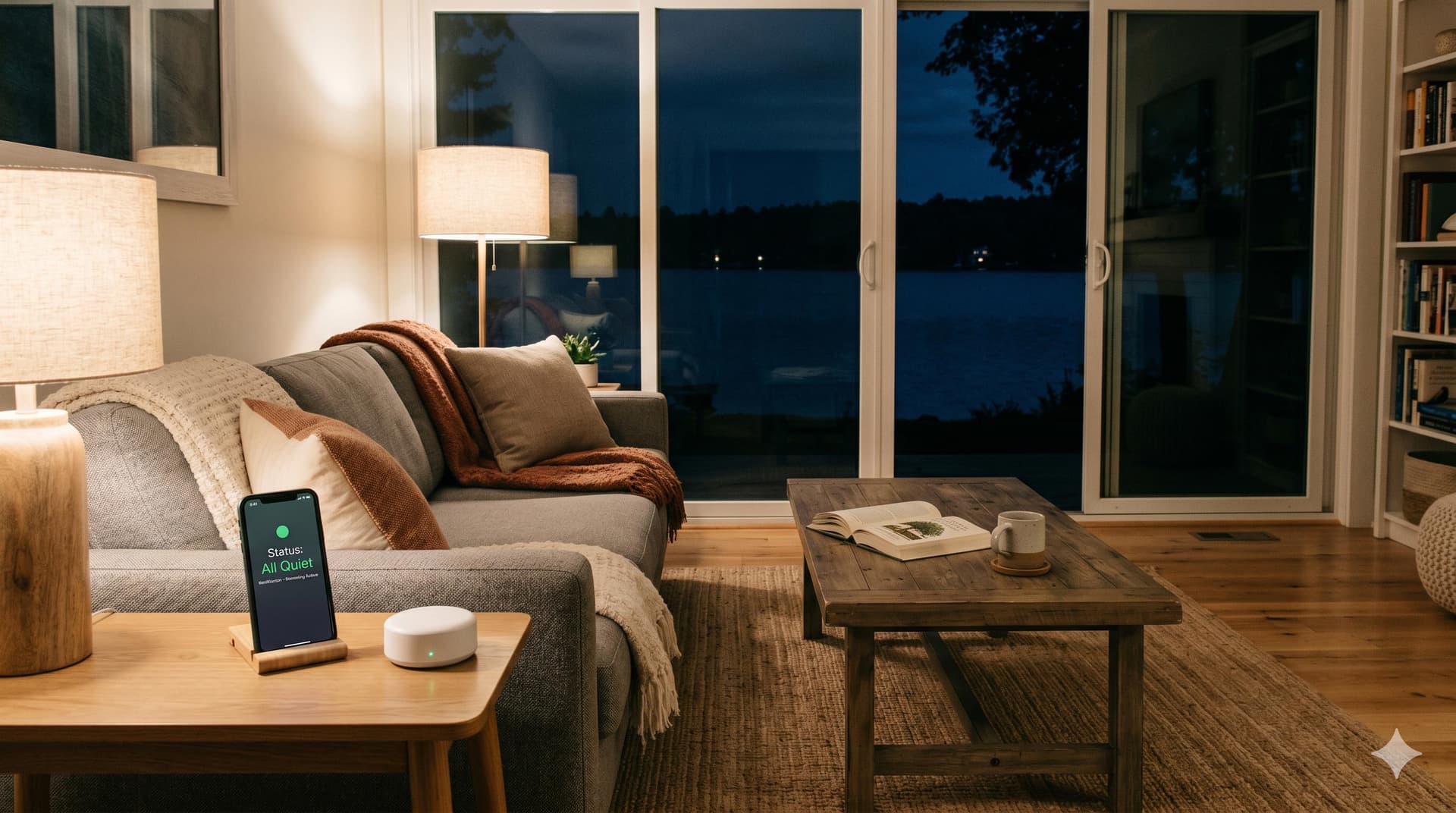
An Airbnb noise monitor is a privacy-safe device that measures sound decibel levels inside your vacation rental property and alerts you when noise exceeds a threshold you set. It does not record audio or video. It does not identify what is being said or who is speaking. It simply tracks how loud the property gets, for how long, and notifies you if something unusual is happening.
For vacation rental hosts, noise monitors solve the party problem. Unauthorized gatherings are one of the most costly risks in short-term rental hosting. They damage property, generate neighbor complaints, trigger HOA violations, and can result in city fines or permit revocation. A noise monitor gives you an early warning system that catches escalating noise before it becomes a full-blown problem.
This guide covers how noise monitors work, what Airbnb's current policy allows, the specific devices worth considering, and how noise monitoring fits into a broader property protection setup.
How Do Airbnb Noise Monitors Work?
Noise monitors work by continuously measuring the ambient sound level in decibels (dB) inside your property. When the sound level exceeds a threshold you set (for example, 75 dB sustained for 10 minutes), the device triggers an alert to your phone. Some devices also send automated messages to the guest, asking them to reduce the noise.
The distinction between a noise monitor and a surveillance device is important. Noise monitors:
- Measure decibel levels only. They track volume over time, not sound content.
- Do not record audio. No conversations, music, or identifiable sounds are captured.
- Do not record video. There is no camera component.
- Are privacy-compliant. They meet Airbnb's, VRBO's, and GDPR requirements when disclosed.
Think of a noise monitor like a thermometer for sound. It tells you the temperature (volume level) without telling you what is causing the heat (what is being said or played). This privacy-safe approach is what makes noise monitors permissible under Airbnb's monitoring policy, while cameras are now banned indoors.
What decibel levels mean in practice
For context on setting your thresholds:
| Decibel Level | Equivalent Sound | Typical Action |
|---|---|---|
| 40-50 dB | Normal conversation, quiet background | No alert needed |
| 60-70 dB | Lively conversation, TV at moderate volume | Normal guest activity, usually no concern |
| 70-80 dB | Loud conversation, music at moderate volume | Monitor. May trigger quiet hours alert if sustained. |
| 80-90 dB | Loud music, party-level noise | Alert host. Send automated guest message. |
| 90+ dB | Very loud music, shouting, active party | Immediate host notification. Contact guest directly. |
Most hosts set two thresholds: a lower "quiet hours" threshold (70-75 dB during 10 PM to 8 AM) and a higher "daytime" threshold (80-85 dB). Alerts trigger only when the noise exceeds the threshold for a sustained period (typically 5 to 15 minutes), which prevents false alarms from brief loud moments like a door slamming or a dropped pan.
What Does Airbnb's Monitoring Policy Allow?
Airbnb updated its monitoring and recording device policy in April 2024. The changes were significant for hosts:
Indoor cameras are completely banned. No security cameras of any kind are permitted inside a listing, regardless of whether they are disclosed, turned off, or disconnected. This applies to all indoor spaces. Violations can result in listing removal and account suspension.
Interior noise monitors are allowed if they meet three conditions:
- They measure decibel levels only (no audio recording)
- They are disclosed in your listing description
- They are not placed in bedrooms, bathrooms, or sleeping areas
Exterior cameras are allowed (doorbell cameras, driveway cameras) if they are disclosed in the listing description and do not monitor private outdoor areas like hot tubs, enclosed patios, or private yards.
VRBO follows a similar framework: no indoor surveillance, exterior cameras permitted with disclosure, and interior noise monitors allowed if they measure decibels without recording.
How to disclose your noise monitor
Add a note to your listing's house rules section and your welcome book:
"This property uses a privacy-safe noise monitoring device (Minut/NoiseAware/Alertify) that measures sound levels only. It does not record audio, video, or conversations. It is located in [living room/common area]. It helps us maintain a peaceful environment for guests and neighbors."
Guests appreciate transparency. Most view noise monitors favorably because it signals that you take property care seriously and that their stay will not be disrupted by neighboring noise.
Which Noise Monitors Are Best for Vacation Rentals?
Four devices dominate the vacation rental noise monitoring market. Each takes a slightly different approach.
| Device | Price | Monthly Fee | Key Features Beyond Noise | Best For |
|---|---|---|---|---|
| Minut | Free with Pro plan | $10-$15/property | Cigarette smoke detection, occupancy estimation, temperature, humidity, mold risk, motion sensing, automated guest messaging | Most hosts. Most features per dollar. Official Airbnb partner. |
| NoiseAware | Free with plan (indoor). $99 for outdoor sensor. | $15+/property | Indoor and outdoor sensors, AutoResolve automated messaging, real-time dashboard | Hosts who need outdoor noise monitoring (pool areas, patios, neighborhoods). |
| Alertify | Included with plan | ~$10-$12/property | Cigarette smoke and vape detection, occupancy via Wi-Fi device counting, tamper alerts, backup battery | Hosts most concerned about smoking violations. Built-in battery backup. |
| Party Squasher | ~$150 (one-time) | None | Occupancy detection via Wi-Fi device counting (not noise-based) | Budget hosts who want party detection without a monthly subscription. |
Minut: The all-in-one choice
Minut is the most widely used noise monitor among vacation rental hosts, and it is the only device with an official Airbnb partnership (Airbnb hosts get discounts on Minut plans). The device is battery-powered, attaches to a ceiling or wall, and blends into most interiors without being conspicuous.
Beyond noise monitoring, Minut detects cigarette smoke (using machine learning, not chemical sensors), estimates occupancy levels, monitors temperature and humidity (useful for preventing mold and frozen pipes), and senses motion when the property is supposed to be vacant.
The standout feature for operational efficiency is automated guest messaging. When noise exceeds your threshold, Minut can send a pre-written message to the guest through its app without you needing to wake up or check your phone. If the noise continues after the first message, it escalates to a host notification.
Pricing starts at $10/month per property for the core monitoring plan. The $15/month Pro plan includes a free sensor, PMS integrations, and the full feature set. Battery life is approximately 6 to 10 months depending on usage.
NoiseAware: Best for outdoor monitoring
NoiseAware is the strongest option if you need both indoor and outdoor noise monitoring. Their outdoor sensor is rated for weather exposure and can monitor pool areas, patios, and yards where noise complaints from neighbors typically originate.
The platform includes a real-time dashboard with historical noise data, and the AutoResolve feature sends automated messages to guests when thresholds are exceeded. NoiseAware is used by 12 of the 14 largest property management companies in North America, so it scales well for larger portfolios.
Pricing starts at $15/month for up to 9 properties (one indoor sensor included). Additional outdoor sensors cost $99 each.
Alertify: Best for smoking detection
Alertify focuses on two specific problems: noise violations and indoor smoking. Its smoke and vape detection is its primary differentiator. The device also counts Wi-Fi-connected devices to estimate occupancy, and it includes a built-in backup battery that continues monitoring during power outages.
A unique feature: Alertify sends you tamper alerts if a guest unplugs or covers the device, which is a common guest response when they want to get away with breaking house rules.
Pricing is approximately $10 to $12/month per property.
Party Squasher: Budget option with no subscription
Party Squasher takes a different approach. Instead of measuring noise decibels, it monitors the number of devices connected to your property's Wi-Fi network. If the count exceeds your set threshold (more devices than the number of booked guests suggests), it alerts you to a potential unauthorized gathering.
The advantage: no monthly subscription. It is a one-time hardware purchase of approximately $150. The limitation: it does not detect noise, smoke, or anything beyond device count. And it can be fooled by guests who use cellular data instead of Wi-Fi, or by neighbors whose devices connect to your open network.
For hosts on a tight budget who want basic party detection, it is a reasonable starting point. For serious property protection, the subscription-based monitors offer significantly more capability.
How Do You Set Up a Noise Monitor Response Protocol?
Installing a noise monitor is step one. Having a plan for what to do when it alerts you is step two. Without a response protocol, you just have a device that beeps at you at 2 AM with no clear next action.
The three-tier response protocol
Tier 1: Automated guest message (no host action needed)
When noise first exceeds your threshold, let the device handle it. Minut, NoiseAware, and Alertify all support automated messaging. A typical first-contact message:
"Hi [guest name], this is an automated message from [your name]. Our property has a noise monitoring device that detected elevated sound levels. As a reminder, quiet hours are 10 PM to 8 AM. Please help us keep things comfortable for neighbors. Thanks for understanding."
In about 70 to 80% of cases, this message resolves the issue without you doing anything.
Tier 2: Host sends a direct message (5 to 10 minutes after Tier 1 if noise continues)
If the noise persists after the automated message, you message the guest personally through the Airbnb app:
"Hi [guest name], I noticed the noise alert is still active. I need you to bring the volume down right away. Continued noise violations after 10 PM will result in us contacting local authorities per our house rules. Please let me know this is resolved."
Tier 3: Local contact visits the property or authorities called (15+ minutes after Tier 2)
If the guest is unresponsive and noise continues, your local backup contact visits the property in person. For extreme situations (large unauthorized party, property at risk), contact local police non-emergency line. Document everything through the Airbnb platform for potential AirCover claims.
Adding noise monitoring to your house rules
Include noise monitoring in your Airbnb house rules and your welcome book. This sets expectations and deters violations:
"This property uses a noise monitoring device that measures sound levels (no audio or video recording). Quiet hours are 10 PM to 8 AM. Sustained noise violations during quiet hours will trigger an automated message, followed by direct host contact. Unauthorized parties or events are not permitted per Airbnb's policy."
For complete house rules templates, see our Airbnb house rules guide.
How Do Noise Monitors Fit Into Your Property Protection Stack?
A noise monitor handles one layer of property protection: detecting misuse during a guest's stay. Paired with the right tools for access control and turnover operations, you create a system that protects your property before, during, and after every booking.
| Protection Layer | What It Does | Tool |
|---|---|---|
| Before the stay | Guest screening, verified ID, review history | Airbnb's built-in screening + your own review of guest profiles |
| Access control | Unique codes per guest, access logs, auto-lock | Smart lock (Yale, Schlage, August) |
| During the stay | Noise detection, occupancy monitoring, smoke sensing | Noise monitor (Minut, NoiseAware, Alertify) |
| After the stay | Turnover clean, damage detection, inventory check, photo documentation | GleamSync for turnover coordination + your cleaner's inspection routine |
| Claims and recovery | AirCover filing, review management, documentation | Resolution Center + your photo/inventory records |
The "after the stay" layer is where everything connects. If a party happened, your cleaner is the person who arrives to assess the damage. Automated turnover notifications from GleamSync ensure your cleaner arrives promptly after checkout, which means damage gets documented before the AirCover filing deadline passes.
For the complete automation stack, see our guide on how to automate your Airbnb business.
Frequently Asked Questions
Do noise monitors violate guest privacy?
No. Privacy-safe noise monitors measure decibel levels without recording audio, video, or conversations. They are explicitly permitted under Airbnb's April 2024 monitoring policy, VRBO's policy, and GDPR (as long as they are disclosed). Guest privacy is maintained because the device cannot determine what is being said, who is speaking, or what type of sound is occurring. It only knows how loud the property is.
Can guests unplug or disable a noise monitor?
Physically, yes. Ceiling-mounted devices like Minut are harder to reach and less likely to be tampered with. Plug-in devices like some NoiseAware sensors can be unplugged. Alertify includes tamper detection that notifies you if the device is disconnected. To mitigate this risk, mount the device in a location that is not easily accessible, and include a note in your house rules that tampering with monitoring equipment is a violation.
How much does a noise monitoring setup cost?
For a single property, expect $10 to $15/month for a subscription-based monitor (Minut, NoiseAware, Alertify) with the sensor included or offered free with the plan. Party Squasher is a one-time $150 purchase with no ongoing fees. For most hosts, the subscription model is worthwhile because it includes firmware updates, cloud dashboard access, automated messaging, and customer support.
Do I need both a noise monitor and a smart lock?
They solve different problems. A smart lock controls who can access your property. A noise monitor detects what happens inside once guests are there. You can use one without the other, but together they form a more complete protection system. The smart lock's access logs combined with the noise monitor's decibel data provide a clear picture of who was in the property and what happened during their stay.
Will a noise monitor prevent all parties?
No tool prevents all parties. But the deterrent effect is significant. When guests know a noise monitoring device is installed (from your listing disclosure and house rules), most will adjust their behavior accordingly. For the small percentage who still push boundaries, the automated alerting system catches the problem early, often before it escalates to neighbor complaints or property damage. Combined with a clear response protocol, most noise situations resolve within 15 minutes.
Noise Monitors Detect Problems During the Stay. Your Cleaner Handles What Comes After.
When a noisy guest checks out, your cleaner is the first person through the door. They find the damage, document the mess, and start the recovery. GleamSync ensures they always know when to arrive, so your post-party damage assessment starts on time and your AirCover filing window stays open.
Try GleamSync for $8/month per property, and keep the cleaner who already knows your place.
Start your free trial at gleamsync.com
Related reading:
Share this article

Mark Fromson
Founder of GleamSync and vacation rental owner. Learn more
Related Articles
Airbnb Deep Clean vs. Turnover Clean: When to Do Each
Airbnb deep clean vs turnover clean: what each includes, how often to schedule them, cost comparisons, and how to coordinate both with your cleaner.
How to Become an Airbnb Superhost: The Operational Playbook
A practical guide to earning and keeping Airbnb Superhost status. Covers all four requirements and the operational systems that keep you qualified.
Vacation Rental Maintenance Checklist: A Seasonal Guide
A seasonal vacation rental maintenance checklist for Airbnb and VRBO hosts. Monthly, quarterly, and annual tasks for HVAC, plumbing, safety, and appliances.
Simplify Your Cleaning Coordination
Sync Airbnb, VRBO, Booking.com or any calendar with a link, notify your cleaners automatically, and never miss a turnover.
Start Free Trial