
Why You Should Block Direct Bookings on VRBO, Not Airbnb
If you list on both Airbnb and VRBO, block direct bookings on VRBO instead. VRBO keeps booking data stable and accessible. Airbnb hides and mutates it.
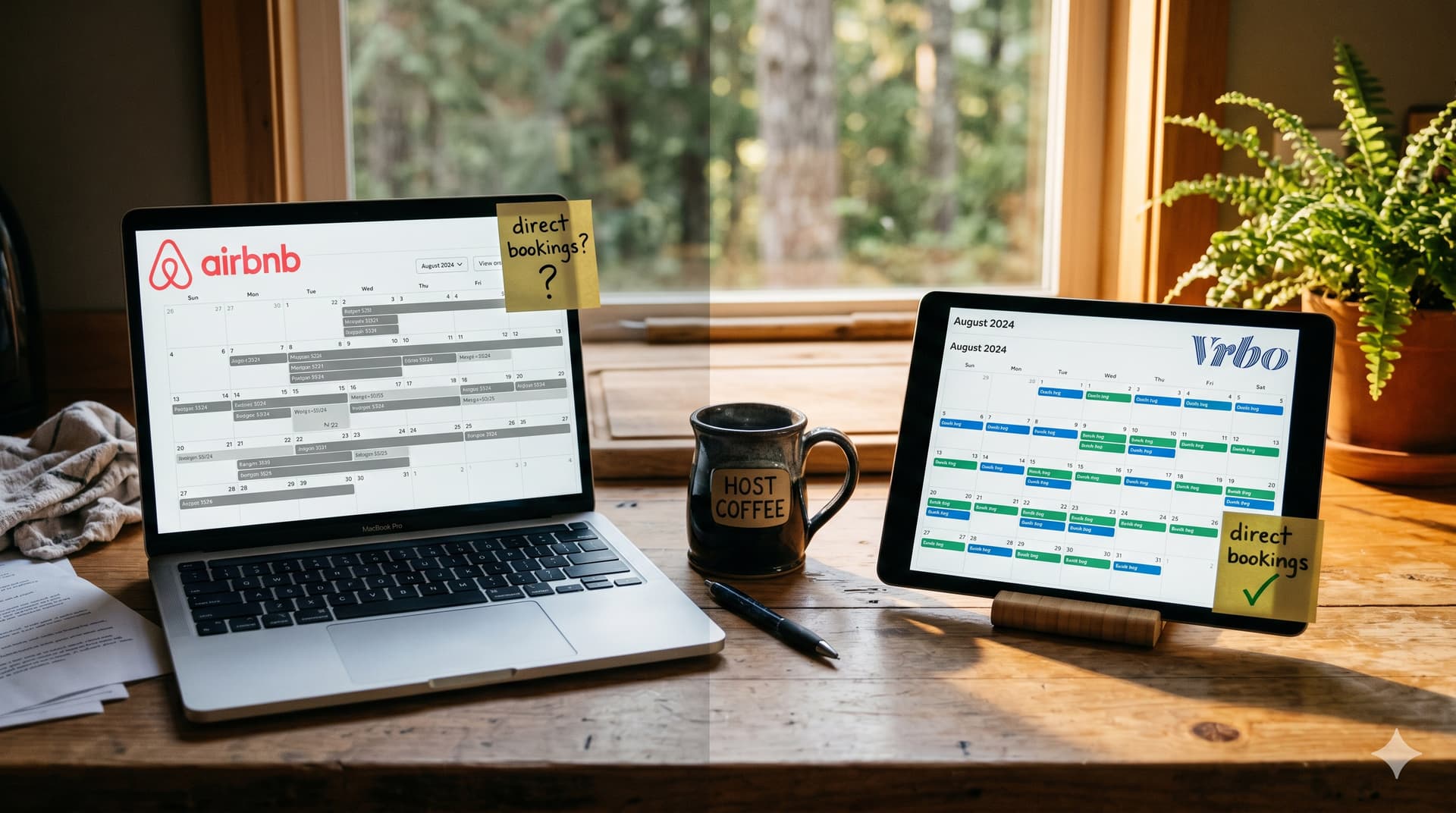
If you manage a vacation rental on both Airbnb and VRBO, you have probably blocked dates on Airbnb when a friend books directly, when you use the property yourself, or when you take a direct booking outside either platform. Most hosts default to blocking on Airbnb because it is their primary listing platform, and they assume the block syncs to VRBO through their iCal connection.
That works. The dates get blocked on both platforms. But there is a better approach: block on VRBO instead, and let the iCal sync carry it across to Airbnb. The reason comes down to three things that most hosts never notice until they need to look up a past booking, until their calendar tools start behaving strangely, or until their cleaner shows up on the wrong day.
I learned this the hard way while debugging a calendar sync issue with my own property in May 2026. I could not open my own in-progress owner block in Airbnb's host interface. The dates were right there on my calendar, but completely unclickable. When I dug into the raw iCal feed data, what I found was worse: Airbnb was regenerating the calendar entry's underlying identifier every single day and shifting both the start and end dates as the block progressed. My cleaner received conflicting notifications ("clean Sunday May 31" followed by "clean Monday June 1") for the same turnover, because every day looked like a brand-new booking to the downstream system.
That experience changed my workflow permanently. Now I block every direct booking on VRBO.
What Happens When You Block Dates on Airbnb?
When you block dates on Airbnb for a direct booking or personal use, four things happen that create problems down the road.
The first problem affects you directly inside Airbnb's interface. The other three affect every system that reads your Airbnb iCal feed, and that includes two categories of users:
- Hosts who subscribe to the Airbnb iCal feed in a personal calendar (Google Calendar, Apple Calendar, Outlook). You will see phantom events appearing and disappearing, dates that do not match what you originally blocked, and merged stays that look like one continuous block when they are actually two separate bookings.
- Hosts who use a platform that consumes the Airbnb iCal feed (GleamSync, Turno, Hospitable, a channel manager, or any other tool that syncs with your Airbnb calendar). The platform processes the same broken data, which can result in missed turnovers, duplicate notifications, or contradictory cleaning dates sent to your cleaner.
If you fall into either category and you take direct bookings, everything below applies to you.
Problem 1: Your block becomes inaccessible
Airbnb displays blocked dates on your calendar as a colored bar. You can click on a future blocked date to open it, read your notes, and edit the details. But once the blocked date arrives (or passes), Airbnb makes it unclickable. The bar still displays on your calendar, but you cannot open it.
I confirmed this firsthand in May 2026 on my own listing. I had an in-progress owner block on my property and needed to check what I had planned. The dates were visible on the Airbnb calendar, but clicking on them did nothing. The information I had entered was completely inaccessible even though the block was still active.
This means you lose access to the guest's name, the rate you agreed to, your notes about the arrangement, and any details about the stay. For a host who takes direct bookings regularly, this is a real operational problem. Six months later, when a repeat guest asks "what did I pay last time?" you cannot look it up on Airbnb. The data is there, but the platform will not let you reach it.
VRBO does not do this. On VRBO, you can click into any blocked date, past or present, and read the full details you entered. Your notes, your rate, your guest name: all of it stays accessible. VRBO treats your blocked dates as real records, not just visual calendar markers.
Problem 2: Back-to-back direct bookings become invisible
This is the most operationally dangerous behavior Airbnb has for hosts who take direct bookings.
When you create two adjacent owner blocks on Airbnb (for example, one guest staying April 17 to 20 and another staying April 21 to 25), Airbnb merges them into a single "Not available" event in the iCal feed. Instead of two separate blocks with a turnover between them, the feed shows one continuous block spanning April 17 to 26.
The turnover between those two stays disappears. Your cleaning coordination tool cannot see it. Your Google Calendar cannot see it. Your channel manager cannot see it. And most critically, your cleaner never gets notified that there is a clean needed between Guest A checking out on April 20 and Guest B checking in on April 21.
The result: Guest B arrives to a property that has not been cleaned. Slept-in sheets, used towels, trash from the previous stay. No amount of technology can fix this because the data simply does not exist in the feed. Airbnb has merged two separate stays into one continuous block, and the gap between them (where the clean should happen) is gone.
This is not a bug in your cleaning tool. It is confirmed Airbnb iCal behavior. Every iCal-based tool has this problem because Airbnb's feed does not emit the information needed to detect the turnover.
VRBO does not merge adjacent blocks. We tested this on our own listing (FRO-295, April 2026): two back-to-back owner blocks on VRBO remained as two separate events in the iCal feed, each with its own check-in and check-out dates. The turnover between them was correctly detected, and the cleaner received the right notification. This single behavior difference is reason enough to block your direct bookings on VRBO instead of Airbnb.
Problem 3: The iCal feed mutates your block daily
This is the more technical issue, but it affects every host who uses any downstream calendar tool (Google Calendar, a channel manager, a cleaning coordination tool, or even the other platform's iCal import).
When you block dates on Airbnb, the platform creates a calendar entry in your iCal feed. That entry should remain stable: same dates, same identifier, same data. But Airbnb's feed does not work that way for owner blocks. The instability is not vague or theoretical. It follows a specific, confirmed pattern:
Daily UID regeneration. Airbnb assigns a new iCal UID (the unique identifier for the calendar entry) to in-progress owner blocks every single day. This means every calendar tool that reads your feed sees what appears to be a brand-new block every 24 hours. The tool deletes the old one (which no longer exists in the feed) and creates a new one, triggering unnecessary notifications, recalculations, and data churn.
Start date truncation. As the block moves forward in time, Airbnb truncates past dates from the feed. If you blocked May 25 through June 5, on May 31 the feed shows the block starting on May 31 (not May 25). The original start date is gone.
End date drift. The end date shifts as well. During our investigation, we observed an owner block's end date move from May 31 to June 1 to align with the next guest's check-in. This is not a rounding issue or a timezone artifact. Airbnb actively extends the block's end boundary to meet the adjacent booking.
Both edges shift, and the identifier regenerates. Every day, downstream tools see a different start date, potentially a different end date, and a completely new identity for the same block you created days ago.
Problem 4: Your cleaner can get contradictory notifications
This is the part that moved me from "this is annoying" to "I need to change my workflow."
Because Airbnb regenerates the block's identity daily and shifts the dates, any cleaning coordination tool that reads the feed may interpret each daily change as a new booking event. That can trigger new turnover notifications to your cleaner, potentially with different dates each day.
During the May 2026 investigation on my own property, my cleaner received "clean date Sunday May 31" followed the next day by "clean date Monday June 1" for the exact same turnover. The block's end date had shifted (May 31 to June 1), so the system calculated a new turnover date and sent a new notification. Same property, same direct booking, same clean needed, but conflicting dates delivered to the cleaner on consecutive days.
This is not a problem specific to any one tool. It is a consequence of Airbnb's feed behavior. Any iCal-based cleaning tool, channel manager, or calendar system that reads Airbnb's feed is working with data that changes identity and shifts dates daily for in-progress owner blocks.
GleamSync has since built specific handling for this churn (a rebind mechanism that recognizes the rolling block as the same entity despite the daily UID change). But the cleaner reason to block on VRBO instead is that you avoid the entire class of problem. When the source data is stable, no downstream tool needs special handling to process it correctly.
What Happens When You Block Dates on VRBO?
VRBO handles blocked dates differently in both the user interface and the iCal feed.
Clean record-keeping
On VRBO, blocked dates are fully interactive records. You can:
- Click into any blocked date (past, present, or future) to open the details
- Read the notes you wrote when you created the block
- See the rate you set (if you entered one)
- Confirm whether it was a personal stay, a direct booking, or a maintenance block
- Edit the block at any time
This makes VRBO the better system of record for direct bookings. When you need to look up what a repeat guest paid last year, confirm dates for a returning friend, or verify that a maintenance window was actually blocked, the information is there and accessible.
Stable iCal feed data
VRBO's iCal feed emits each blocked period as a separate, stable calendar entry. The dates do not truncate as time passes. The identifier does not regenerate daily. The edges do not drift to accommodate adjacent bookings. And critically, adjacent blocks stay separate. Two back-to-back direct bookings remain two distinct events in the feed, with the turnover between them fully visible to any downstream tool.
This means every downstream tool that reads your VRBO calendar sees consistent, predictable data. The block that appears in the feed today is the same block tomorrow, with the same dates, the same identifier, and the same data. No churn, no phantom deletions, no false notifications, no conflicting cleaner messages, and no hidden turnovers.
For hosts using any calendar-based tool (including GleamSync for cleaning coordination, or any channel manager for cross-platform sync), VRBO-originated blocks are processed more cleanly because the source data is stable. This is true for any tool, not just ours.
How Do You Set Up the Cross-Sync?
The workflow is simple: block your direct bookings on VRBO, and let the iCal sync carry the block to Airbnb. But this only works if you have already set up the two-way iCal connection between your platforms.
Prerequisites
You need two-way iCal sync between Airbnb and VRBO. This means:
- VRBO's iCal export URL imported into Airbnb (so VRBO blocks appear on your Airbnb calendar)
- Airbnb's iCal export URL imported into VRBO (so Airbnb bookings appear on your VRBO calendar)
If you have not set this up yet, see our step-by-step guide on how to sync your Airbnb and VRBO calendars.
The workflow
- A direct booking comes in (friend, repeat guest, personal use)
- Log into VRBO and block the dates on your VRBO calendar
- Enter the guest name, rate, and any notes in the VRBO block details
- Wait for the iCal sync to propagate (typically 1 to 4 hours)
- Verify the dates are now blocked on your Airbnb calendar as well
The blocked dates will appear on Airbnb as an imported calendar event (typically labeled "Blocked" or "Not available" from your VRBO feed). The dates are blocked on both platforms, but your source of truth (the editable, accessible record with all your notes) lives on VRBO.
Important timing note
iCal sync is not instant. There is a delay of 1 to 4 hours between when you block dates on VRBO and when those dates appear blocked on Airbnb. If you need dates blocked immediately on both platforms (to prevent a booking within the next few hours), block on both platforms manually, then remove the Airbnb block once the VRBO sync propagates. For more on sync delay behavior, see our guide on what is iCal sync.
When Does This Matter Most?
This workflow matters most for hosts who:
- Take regular direct bookings from repeat guests, friends, or through their own website. If you take 5+ direct bookings per year, the record-keeping difference alone justifies the switch.
- Use any calendar-based tool that reads your iCal feed. The feed stability difference means fewer sync issues, fewer false notifications, and no risk of your cleaner getting contradictory turnover dates from daily UID churn.
- Manage multiple properties. At 3+ properties with regular direct bookings on each, the accumulated data churn from Airbnb's feed behavior multiplies. Switching your source of truth to VRBO reduces noise across your entire portfolio.
- Need to look up past booking details. If you have ever tried to find the rate or dates of a direct booking from 6 months ago on Airbnb and been unable to click into the block, you already understand this frustration.
What This Is Not
This is not an argument that VRBO is a better platform than Airbnb. Airbnb excels at guest acquisition, search visibility, messaging, review management, and many other areas. For most hosts, Airbnb is the primary listing platform and the source of the majority of their bookings.
This is a narrow, specific recommendation: for the one workflow of blocking dates for direct bookings when you list on both platforms, VRBO's data handling is more reliable. Your direct booking records stay accessible. Your calendar feed stays stable. Your downstream tools work better. Your cleaner does not get conflicting dates.
Use Airbnb for what Airbnb does best. Use VRBO for blocking direct bookings. Sync between them with iCal.
How Does This Connect to Cleaning Coordination?
When you block dates for a direct booking, that block creates a turnover: the previous guest checks out, you (or your direct-booking guest) check in, and eventually they check out and the next platform guest checks in. Your cleaner needs to know about these turnovers.
Cleaning coordination tools that read your iCal feed (including GleamSync) detect turnovers by looking at the gaps and transitions between calendar events. When Airbnb's feed regenerates your owner block's identity daily and shifts both edges, the tool has to work harder to figure out whether this is the same block it saw yesterday or a new one. Without specific handling, that daily churn can result in duplicate notifications, missed turnovers, or contradictory dates sent to your cleaner.
GleamSync has built a specific rebind mechanism that recognizes Airbnb's daily UID churn and treats the rolling block as the same entity, preserving cleaner assignments and preventing duplicate notifications. But the simpler, more reliable path is to avoid the problem entirely: block on VRBO, where the source data is stable, and every downstream tool (GleamSync included) processes the turnover correctly the first time without needing special churn-handling logic.
For more on how iCal feeds work and how GleamSync uses them, see our guide on what is iCal sync and why it matters.
Frequently Asked Questions
Will the VRBO block show up on my Airbnb calendar?
Yes, as long as you have imported your VRBO iCal export URL into Airbnb's calendar settings. The blocked dates will appear on your Airbnb calendar as an imported event, preventing guests from booking those dates on Airbnb. If you have not set up this sync yet, see our calendar sync guide for step-by-step instructions.
How long does it take for the VRBO block to sync to Airbnb?
Typically 1 to 4 hours. Airbnb polls imported iCal feeds on its own schedule, and the interval is not configurable. If you need dates blocked immediately on both platforms, block on both manually and then remove the Airbnb block once the VRBO sync propagates.
Can I still block dates on Airbnb for quick one-off blocks?
Yes. This workflow is a recommendation for regular direct bookings where record-keeping and feed stability matter. For a quick personal block where you do not need to look up the details later, blocking on Airbnb is fine. The feed instability becomes a practical problem primarily for blocks that span multiple days and interact with downstream calendar tools over the course of the stay.
Does this apply if I only list on Airbnb (not VRBO)?
No. This workflow specifically applies to hosts who list on both Airbnb and VRBO with two-way iCal sync. If you only list on Airbnb, you have no alternative platform to use as a source of truth for direct booking blocks.
Will my cleaner still get notified about direct booking turnovers?
If you use GleamSync and have your VRBO iCal feed connected, yes. GleamSync reads your VRBO feed, detects the direct booking block, identifies the turnover windows before and after it, and sends your cleaner the notification with the correct checkout and check-in times. The notification is more reliable when the source data comes from VRBO's stable feed, because no special churn-handling is needed to maintain a consistent view of the block.
Does this UID churn problem affect guest bookings on Airbnb, or only owner blocks?
Only owner blocks (direct bookings and personal blocks). Airbnb's feed handles confirmed guest reservations (bookings made through the Airbnb platform) with stable identifiers that do not regenerate daily. The daily UID churn and date shifting are specific to in-progress owner blocks, which is exactly why this article recommends moving those specific blocks to VRBO.
Your Direct Bookings Need Clean Calendar Data. VRBO Provides It.
Block your direct bookings on VRBO, sync to Airbnb via iCal, and let GleamSync detect the turnovers from the stable VRBO feed. Your cleaner gets reliable notifications. Your calendar stays clean. Your direct booking records stay accessible.
Try GleamSync for $8/month per property, and keep the cleaner who already knows your place.
Start your free trial at gleamsync.com
Related reading:
Share this article

Mark Fromson
Founder of GleamSync and vacation rental owner. Learn more
Related Articles
Airbnb Deep Clean vs. Turnover Clean: When to Do Each
Airbnb deep clean vs turnover clean: what each includes, how often to schedule them, cost comparisons, and how to coordinate both with your cleaner.
How to Become an Airbnb Superhost: The Operational Playbook
A practical guide to earning and keeping Airbnb Superhost status. Covers all four requirements and the operational systems that keep you qualified.
Vacation Rental Maintenance Checklist: A Seasonal Guide
A seasonal vacation rental maintenance checklist for Airbnb and VRBO hosts. Monthly, quarterly, and annual tasks for HVAC, plumbing, safety, and appliances.
Simplify Your Cleaning Coordination
Sync Airbnb, VRBO, Booking.com or any calendar with a link, notify your cleaners automatically, and never miss a turnover.
Start Free Trial