
How to automate Airbnb cleaning without a marketplace
How to automate Airbnb cleaning with the cleaner you already have: what you can hand to software, what should stay with you, and how to set it all up.
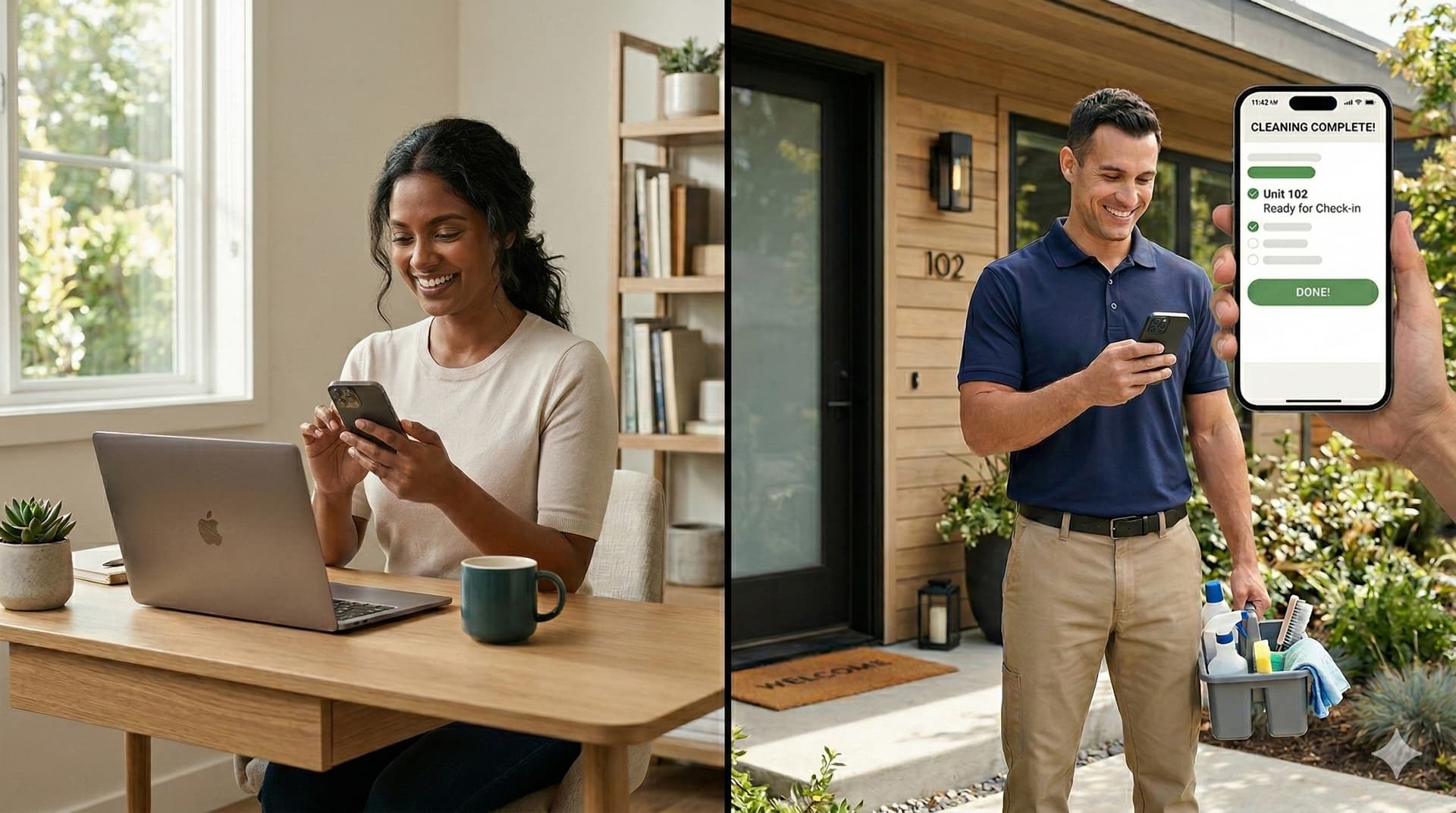
You can automate Airbnb cleaning without handing your turnovers to a marketplace or replacing the cleaner who already knows your place. What you automate is the coordination: reading your booking calendars, working out when each clean has to happen, and making sure your cleaner hears about it, and about every change, without you texting her each time.
Most of the "automation" sold to hosts bundles that coordination with something else: a cleaner marketplace, or a full property management system. If you already have a cleaner you trust, you need neither.
This guide covers what automating Airbnb cleaning really involves, which parts to hand to software and which to keep, and how to set it up with your own cleaner.
What does it mean to automate Airbnb cleaning?
Automating Airbnb cleaning means letting software do the repetitive scheduling work around each turnover. It reads your booking calendars, works out the clean window between each checkout and the next check-in, keeps a schedule of upcoming cleans, and sends your cleaner the details and reminders. The cleaning itself, and the decisions about who does it, stay human.
It's worth being precise, because the phrase gets used for very different products. Some "automation" tools are marketplaces that find and book a cleaner for you. Some are full property management systems where cleaning is one module among pricing, messaging and channel management. And some do only the coordination, for hosts who already have a cleaner.
Which parts of cleaning coordination can you automate?
These are the jobs that eat your time and fail when you're busy:
- Watching your calendars. A tool can read your Airbnb, VRBO and Booking.com calendar links so you aren't checking each platform for new stays.
- Working out clean windows. Your calendar feeds only carry dates. Combine them with the checkout and check-in times you set and you get the window for every turnover, including same-day ones. (More on that in turnover clean windows.)
- One schedule across platforms. Bookings from Airbnb and VRBO end up on a single list of cleans instead of two calendars.
- Reminders. Your cleaner gets the details before each clean without you sending them.
- Change and cancellation messages. When a stay moves or is cancelled, the cleaner on that clean is told.
- Fees. Her rate, any extras and what's been paid can be tracked per clean, so invoicing doesn't start with a round of texts.
Which parts should stay with you?
Two decisions are better left in your hands, even with good software.
Who does each clean. If you have one cleaner, this feels automatic. But the moment you have a backup, a second property or a cleaner who's away for a week, a tool that assigns cleaners for you can quietly send the wrong person or nobody. GleamSync deliberately doesn't pick a cleaner. A new booking creates a clean, you choose who takes it, and you're reminded if a clean is still unassigned.
Calendar changes that look wrong. Calendar feeds occasionally drop or reshuffle stays that haven't really changed. A tool that acts on every blip will cancel cleans that are still on. Look for one that holds results that look wrong, such as a feed that suddenly comes back empty, until you've confirmed them. GleamSync does this. No tool catches every bad change, so it's still worth a glance when your cleaner tells you a job was cancelled.
The aim isn't to remove you from the loop entirely. It's to remove you from the parts that don't need judgment.
Why not use a cleaning marketplace?
Marketplaces such as Turno are built around connecting hosts with cleaners and booking jobs through their platform. If you don't have a cleaner, that's useful: finding and vetting one is hard, and our guide on how to find an Airbnb cleaner covers it.
If you already have one, a marketplace solves a problem you don't have. The cleaner who has turned over your place dozens of times knows where the spare linen is, which door sticks and how you like it staged. What you want is for her to know about every turnover on time, and that's a coordination problem, not a hiring one.
What goes wrong with spreadsheets and shared calendars?
Most hosts automate in steps. First texts, then a shared spreadsheet or Google Calendar, which feels like a system because it's written down.
The weakness is that it's still you updating it. I ran my own rental that way. In my words:
"Before GleamSync, I used to create a shared spreadsheet. Sometimes I'd get a booking change and forget to make the change in the spreadsheet, and that's what led to a missed clean, because it was manual."
A shared Google Calendar fed by your iCal links removes the typing, but not the gap. Google doesn't refresh subscribed calendars in real time, the feeds show "Reserved" blocks rather than clean windows, and it only helps if your cleaner looks at it after the change and before the clean. Our guide to sharing your Airbnb calendar with your cleaner walks through both options step by step.
Since I moved to GleamSync, a booking change hasn't failed to reach my cleaner. That's one property, so take it as my experience rather than a statistic.
How do you automate Airbnb cleaning with your own cleaner?
Here's the setup with GleamSync, a vacation rental cleaning coordination tool that reads the iCal links from your Airbnb and VRBO listings, works out every clean window and keeps your existing cleaner informed by email, SMS or WhatsApp.
- Connect your calendar links. Paste the export link from each platform you list on: Airbnb, VRBO, Booking.com, or any calendar with a link. GleamSync puts every stay on one schedule.
- Set your checkout and check-in times. These turn booking dates into clean windows, and same-day turnovers are flagged.
- Add your cleaner. Her name and an email address or phone number is enough. She doesn't need an account or an app, though she can accept an invite if she wants her own login.
- Assign cleans and send the details. When a new booking creates a clean, choose who takes it and send her the details then, or let the reminders do it closer to the date.
- Let the reminders run. She gets reminders before each clean, and a message if a clean she's on in the coming month moves or is cancelled. If she likes a calendar, she can subscribe to her clean schedule in Apple, Google or Outlook.
- Watch for gaps. With unassigned-clean alerts on, you're told when a clean has nobody on it, so a new booking doesn't sit unnoticed.
It costs $8 a month per property, with a 14-day free trial and no credit card needed.
Do you need a property management system instead?
Property management systems such as Guesty and Hostaway include cleaning schedules alongside channel management, guest messaging, pricing and reporting. If you need most of that, and especially if you run several properties with staff, a PMS can make sense.
If your actual problem is "my cleaner needs to know about every turnover and every change", a PMS is a lot of system to adopt for it. Compare the setup time and the monthly cost against what you'd actually use.
Frequently asked questions
Can you fully automate Airbnb cleaning?
You can automate the scheduling around it: reading calendars, working out clean windows, reminders and change messages. The clean itself, choosing who does it, and checking calendar changes that look wrong are better kept human. Trying to automate those is where cleaners end up at the wrong job or no job.
How do I automate cleaning for both Airbnb and VRBO?
Copy the calendar export link from each platform and connect both to a coordination tool that reads iCal feeds. It combines the stays into one schedule of cleans, so your cleaner doesn't have to cross-check two calendars.
Does my cleaner need to download an app?
Not with GleamSync. She gets reminders and change messages by email, SMS (US and Canada) or WhatsApp, and can subscribe to her schedule in the calendar app she already uses. An account is optional.
Do I need Turno to automate Airbnb cleaning?
No. Turno is a marketplace for finding cleaners. If you already have a cleaner, a coordination tool automates the scheduling and messages without changing who cleans or how you pay her.
Related reading
- How to share your Airbnb and VRBO calendar with your cleaner
- Turnover clean windows
- How to find an Airbnb cleaner, and vet them first
- How to onboard a new Airbnb cleaner
- What to pay your vacation rental cleaner
Keep your cleaner and automate the coordination
GleamSync reads your Airbnb and VRBO calendars, works out every clean window, and keeps your cleaner informed with reminders and change messages by email, SMS or WhatsApp. She doesn't need an account. It's $8 a month per property, with a 14-day free trial and no credit card needed.
Share this article

Mark Fromson
Founder of GleamSync and vacation rental owner. How these articles are written · Learn more
Related Articles
How to find an Airbnb cleaner, and vet them first
How to find an Airbnb cleaner you can trust: where good cleaners come from, what to ask before hiring, how to run a paid trial clean, and the red flags.
How to onboard a new Airbnb cleaner
How to onboard a new Airbnb cleaner so they get it right on day one: a one-page property guide, room photos, a first walk-through, and how bookings reach them.
Should you allow pets in your Airbnb? The cleaning side
Should you allow pets in your Airbnb? What a pet stay does to your turnover, how to set a pet fee, what to tell your cleaner, and what to do if one sneaks in.
Simplify Your Cleaning Coordination
Sync Airbnb, VRBO, Booking.com or any calendar with a link, notify your cleaners automatically, and never miss a turnover. Try it free for 14 days, no credit card needed.
Start Free Trial